
Introduction
Selling Railing Systems has traditionally been a matter of catalog photos, physical sample swatches and a salesperson’s ability to describe what a finished installation will look like.
The model is becoming harder to scale.
Material, baluster spacing, post style and finish all work together visually over an entire run of stairs, a deck or a balcony. A four-inch swatch tells a buyer next to nothing about how that pattern will actually read across a full staircase, and 3d railing purchases in particular suffer from this gap more than most product categories.
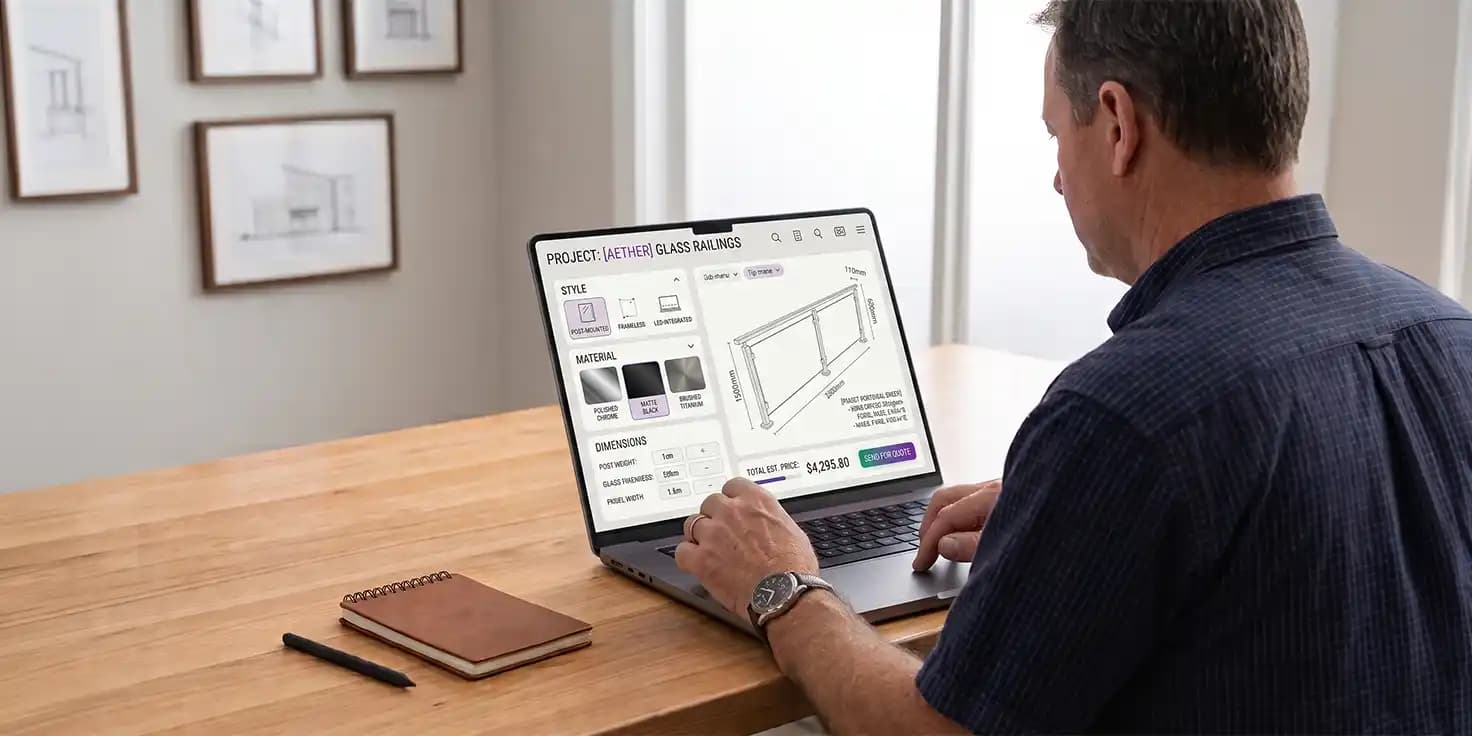
A well designed 3D visualization tool can be a digital sales environment where buyers explore products, make informed decisions and finalize a Railing Design, while manufacturers retain control over product rules, available options, pricing and brand presentation. The objective is the same whether it is delivered with stand-alone 3D Product configurator or fully connected Railing Visualization Solution: replace imagination with real clarity.
The opportunity is even greater for CEOs and business leaders. The right technology can shorten the journey from inspiration to specification, reduce repetitive sales conversations, improve product understanding, and provide a more scalable way to sell customized Railing Systems and other Building Materials.
But not all visualizers offer the same value.
A simple tool might enable users to change a color or rotate a model. A modern solution should go much further.
Railing manufacturers need to look for true 3D Product Visualization for Railings and here are eight features to look for.
Live 3D Visualization
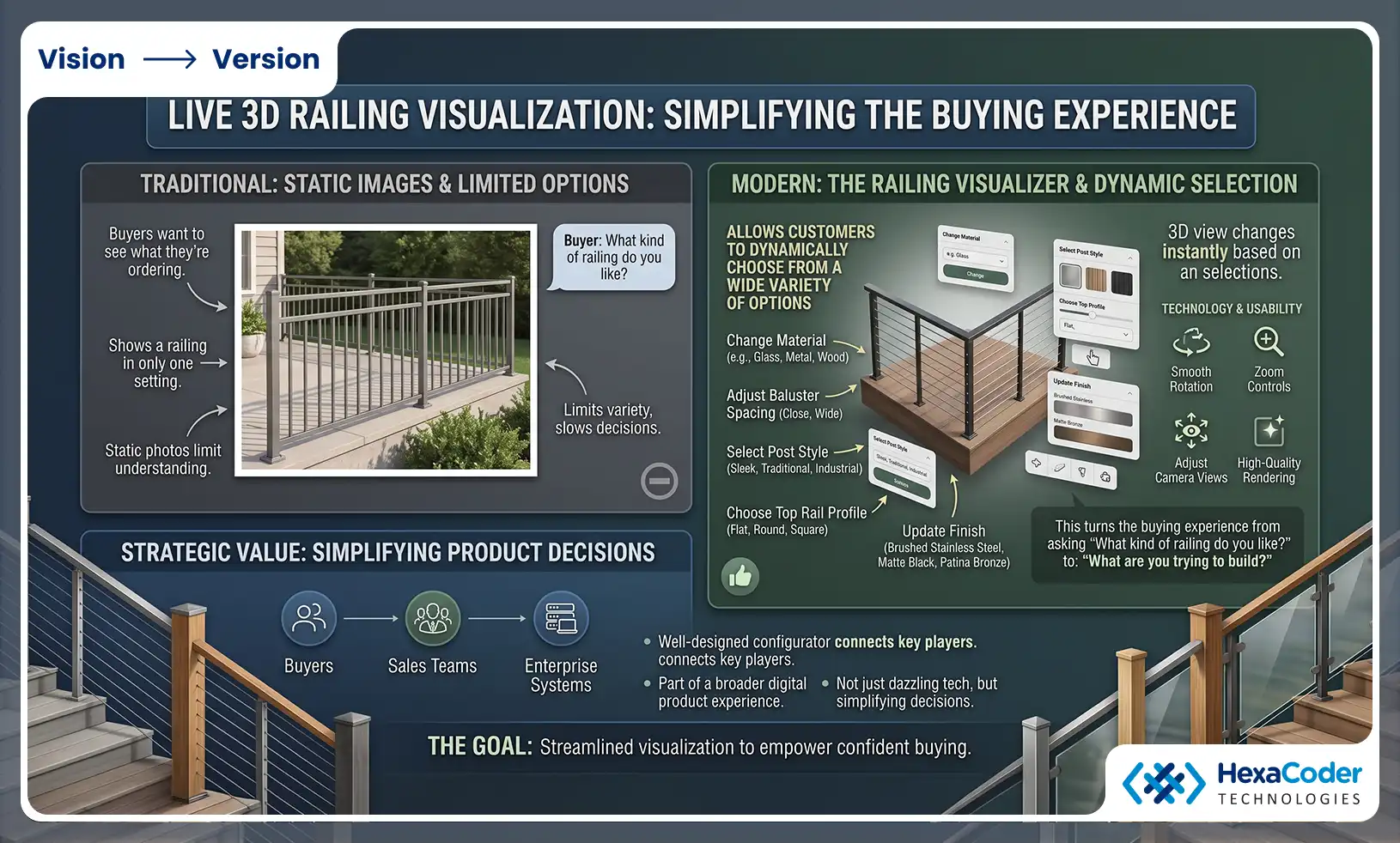
The first is obvious, but it’s also fundamental. Buyers want to see what they’re ordering.
Static product photos show a railing in only one setting. Today a Railing visualizer allows customers to see a wide variety of options dynamically to choose from.
The user should be able to change material, baluster spacing, post style, top rail profile and finish and instantly see the result.
This turns the buying experience from: "What kind of railing do you like?
For: "What are you trying to build?
A well-designed configurator can be more than a visualization layer. It can connect buyers, sales teams and enterprise systems as part of a broader digital product experience.
The technology should also offer smooth rotation, zoom, camera controls and high-quality rendering without unnecessarily complicating the experience.
The aim here isn’t to dazzle users with 3D tech.
The goal is to simplify product decisions.
Parametric Configuration of Railing
Railing projects are seldom the same.
Run length changes. The angles of stairs differ. Changes to post spacing. Consumer tastes evolve.
This implies that a modern visualizer cannot rely solely on static 3D models.
A powerful Railing visualizer, which functions as a truly Interactive Railing Configurator, must therefore support rules that describe how products behave when dimensions or selections are changed.
For instance:
- Baluster spacing can be adjusted to suit run length and local code requirements.
- Post positions automatically adjust to stair pitch and rise
- The available components depend on the selected railing system.
- Some accessories will only be available when compatible products are chosen.
- Invalid combinations can be avoided automatically.
Railing manufacturers should look beyond the visual interface when evaluating a configurator, and consider functionality such as parametric models, configuration rules, dynamic pricing, backend connectivity and multi-device compatibility.
This gives a manufacturer an important layer of control.
The customer gets flexibility and the business gets product accuracy.
Customizing Material & Finish
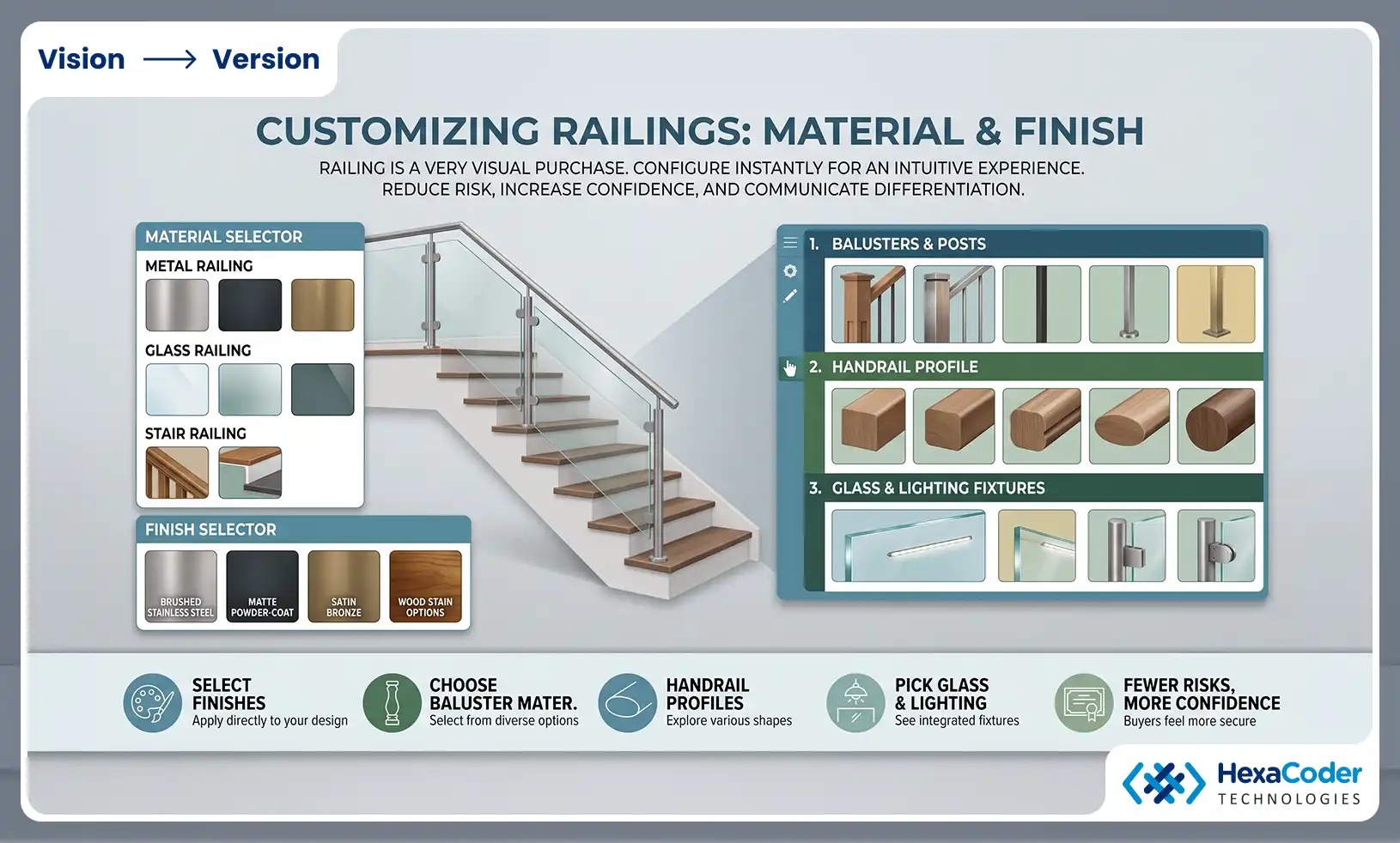
Railing is a very visual purchase.
Material, texture, finish, profile, glass type and accessories can all play a big part in a buyer’s decision. Therefore, a modern configurator should provide an intuitive way to customize.
We want our customers to be able to play around with different options for Metal Railings, Glass Railings and Stair Railings and instantly see how each one changes the overall look.
Manufacturers can let customers apply finishes directly to their configured railing rather than sending physical swatches in the mail for every combination.
The same principle can apply to:
- Materials for balusters and posts
- Surface finish
- Profiles of handrails
- Kinds of glass
- Lighting fixtures
This takes the guesswork out of the buyers’ purchases of railings, making them feel less risky than they should be. This facilitates manufacturers in communicating product differentiation.
Intelligent Product Rules & Code Compliance
A sophisticated configurator should do more than just show options. It should know relationships between them, including code prerequisites.
This is one of the biggest differences between a visual tool and a true Railing visualizer.
Imagine a customer choosing a specific stair railing system. The configurator should know what posts, connectors, panels or accessories will work with that selection, as well as if baluster spacing is compliant with applicable building code.
Similarly, if a customer chooses a certain handrail profile, the system can automatically filter out incompatible components.
This means a wizard-style configuration process.
The system can create rules under the hood, rather than providing the customer with all possible combinations and allowing them to determine what is compatible and compliant.
For Railing Manufacturing teams this can reduce configuration errors and avoid sales teams quoting a combination that fails inspection once installed, an outcome that can cost far more in rework and reputational damage than the sale itself was ever worth.
This is especially important in commercial and multi-family projects, where code requirements are often more stringent and closely scrutinized than a typical residential installation, and where a compliance failure can delay an entire project handover.
Correct Quantities & Project Estimation
Visualization attracts attention.
Commercial utility is adopted.
One of the most important skills for a railing manufacturer is the ability to translate a visual idea into usable project information.
Where the underlying product rules and dimensions permit, a modern configurator should be able to calculate quantities on the basis of the configured project.
This may include estimates for:
How To Get A Railing Configurator Quote?
Component Purpose
Posts Post calculation required
Balusters (Estimate spacing needs)
Rails (top and bottom) Define required lengths
Estimate configuration requirements Glass panels
Brackets & connectors Including final components
Extras Select Add selected extras
That turns a visual experience into a commercial process.
The link between visualization and commercial workflows is especially important for B2B manufacturers where a configuration could go from customer exploration to quoting, sales and production or fulfillment.
Immersive Design & Contextual Visualization
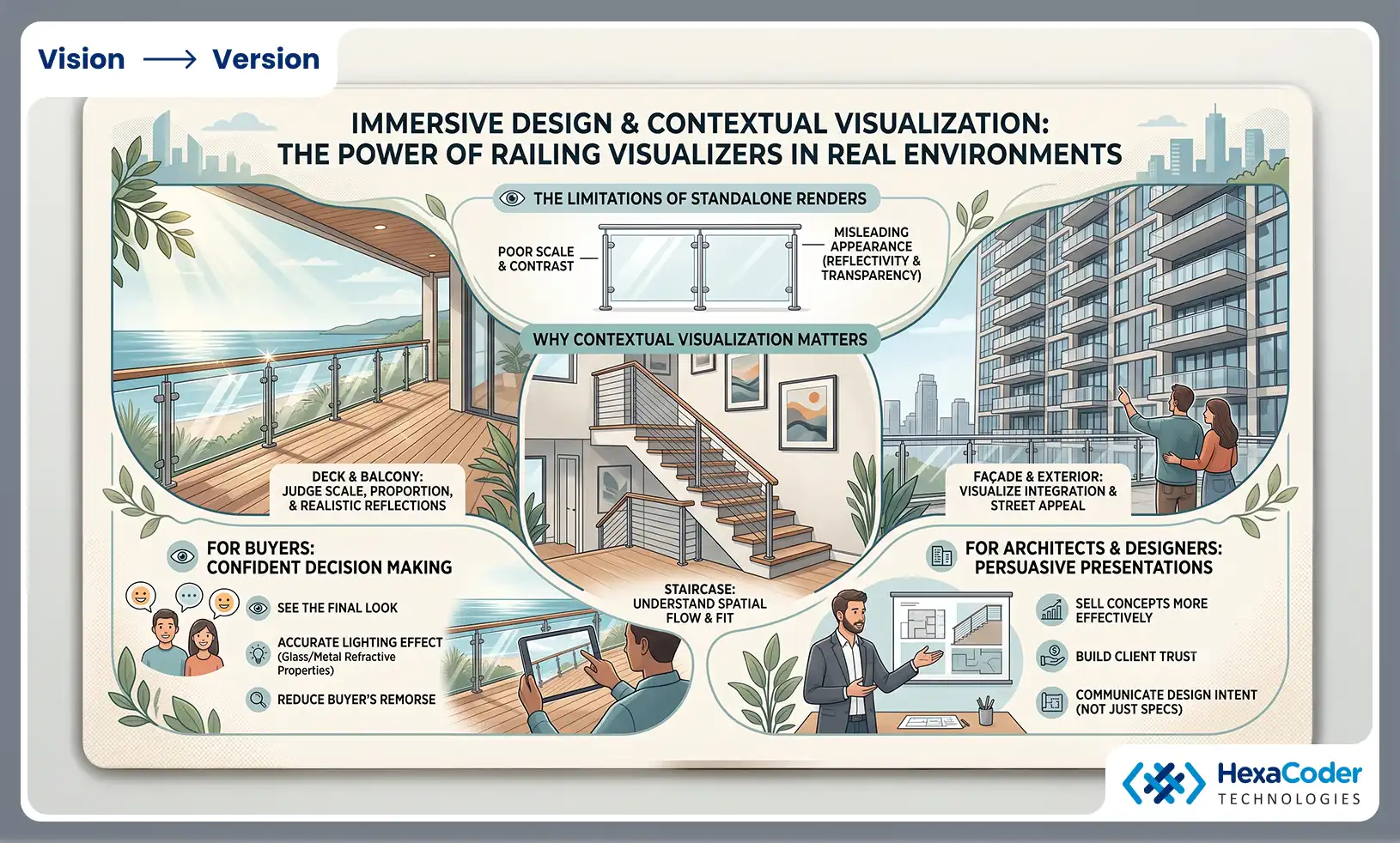
A railing is not something separate.
It is on a particular staircase, deck, balcony or façade and buyers have to decide how it will actually look in that location, not against a plain white background.
The best Railing visualizer tools allow buyers to place their configuration against a representative environment so they can judge scale, contrast and proportion far more accurately than a standalone product render can .
This is particularly the case for glass and metallic railing systems, where the reflectivity and transparency can vary hugely based on the light and the surroundings.
Contextual visualization also helps architects and designers sell a concept to clients more persuasively than a spec sheet or catalog photo ever could.
Accessibility on Mobile and Web
A sophisticated configurator is no good if the customers can’t use it.
Today’s buyers move across devices and buying environments. You may find a person looking at a railing product on a phone, then going back to the website on a laptop and discussing the design with a contractor on a tablet—all often while standing at the actual job site.
The experience has to work across devices.
The ideal modern Railing visualizer should be browser based, responsive, fast and easy to access without complicated software installation.
Distributors and architects in particular need to be vetted for their ability to access and show the configurator independently, as site visits and client meetings are seldom at a desktop.
Smooth Integration with Existing Sales and Product Ecosystem
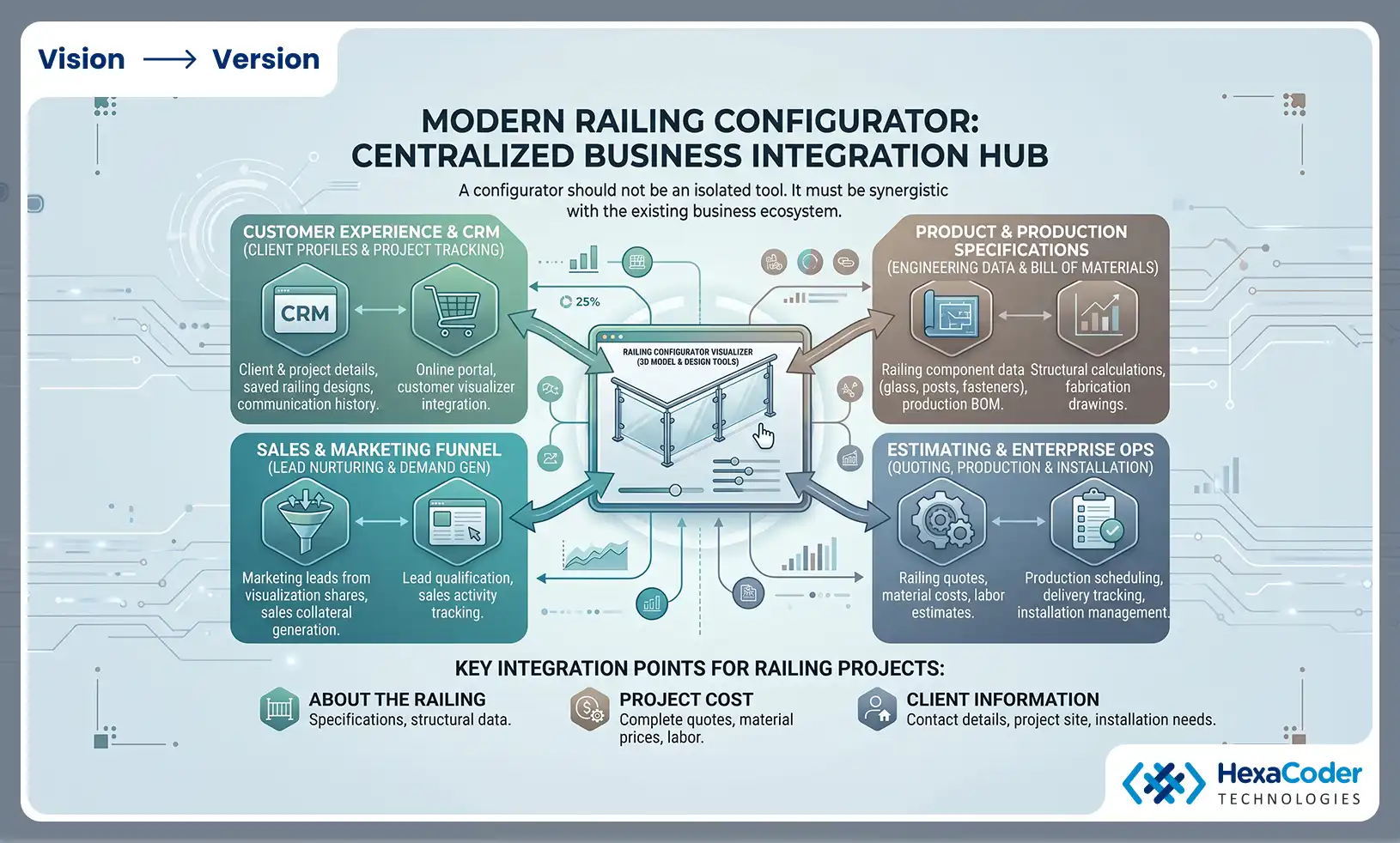
The last of these features is perhaps the most important.
A configurator should not turn into another isolated digital tool.
It should be synergistic with the existing business ecosystem.
The Modern Railing visualizer software links the customer experience to the systems of marketing, sales, product management, estimating, CRM, e-commerce and enterprise operations.
The integrations can be to support (depending on business requirements) :
- About the product
- Cost
- Customer information
What Can A Railing Visualizer Connect?
Integration - Supports
Product Information Product Data
Prices Dynamic Pricing
CRM Lead and customer workflows
E commerce Shopping Online
ERP / CPQ Business operations
Analytics Performance data
The integration-first approach is particularly important for B2B manufacturers. A configurator should be an enabler to the commercial and operational eco-system, not an additional disconnected front-end application.
What Should Railing Manufacturers Look for in a Visualizer
The biggest mistake is to judge configurators mostly by how they look.
A good looking interface is great, but not enough.
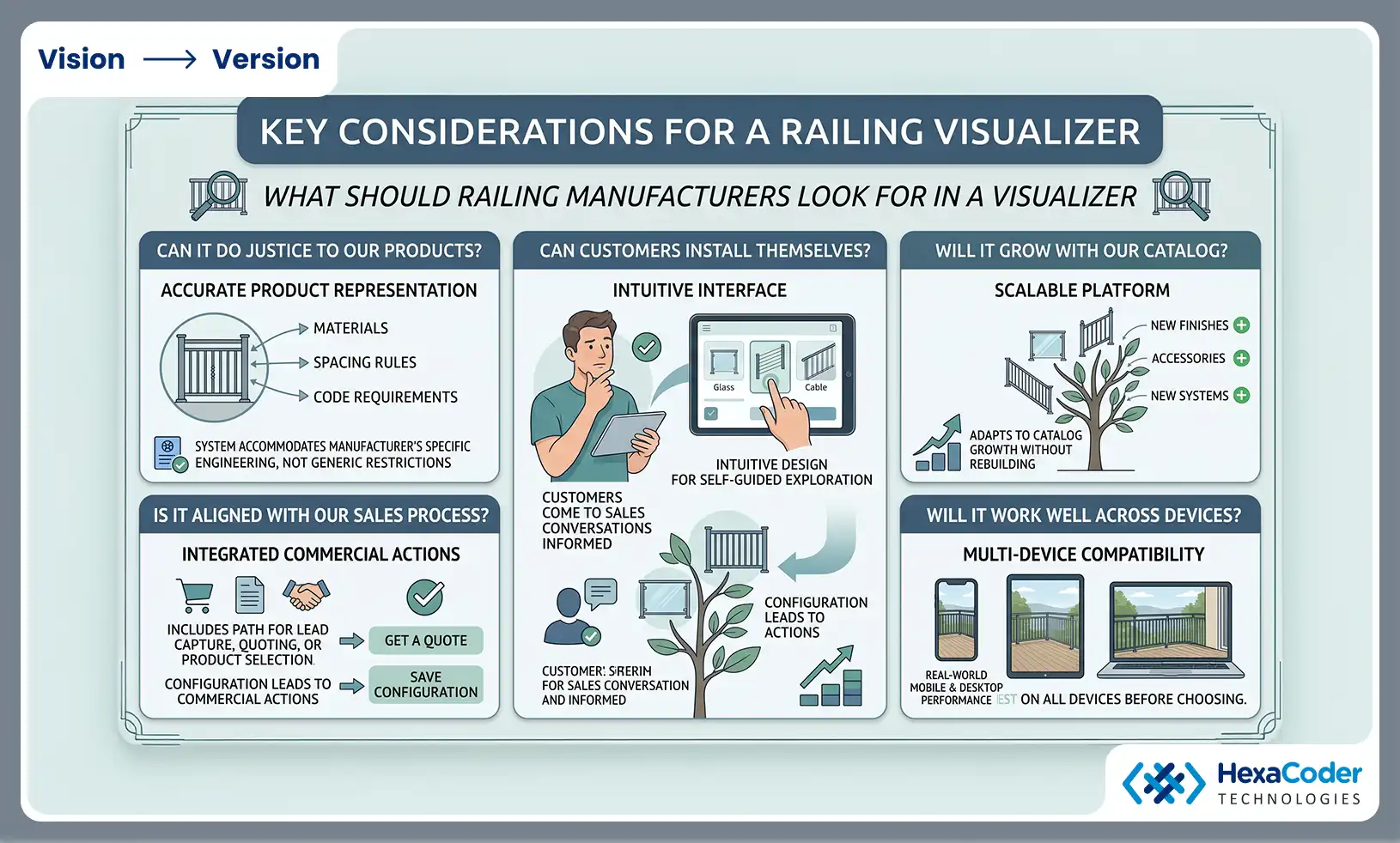
In evaluating the platform, decision-makers should ask five broader questions:
Can it do justice to our products? “The system has to accommodate the materials, spacing rules and code requirements that make the manufacturer’s railing systems structurally sound and code compliant, not generic restrictions that aren’t reflective of the manufacturer’s actual engineering.”
Can customers install themselves? The interface should be intuitive enough that a buyer can come to a sales conversation informed, not starting at zero, and cutting down on the need for sales teams to explain basic product exploration.
Is it aligned with our sales process? The configuration should include a path for lead capture, quoting, product selection, or other commercial actions, not stop as soon as the customer finishes browsing.
Will it grow with our catalog? Manufacturers are constantly adding new products, finishes and accessories. The platform needs to adapt to that growth without having to be rebuilt every time a new material or railing system comes along.
Will it work well across devices? Instead of a polished desktop demo, manufacturers should test real world mobile performance before choosing a platform, because architects, distributors and buyers often review configurations away from a desk.
A useful evaluation exercise is to ask for a working demonstration built around the manufacturer's own product data and code requirements, not a generic sample catalog. This tells us a lot more about how a configurator will really behave in the real world against real complexity.
What does this mean for CEOs and decision makers?
For CEOs considering this kind of investment, the debate often comes down to measurable results versus a gut feeling that visualization needs to be modern.
Shorter sales cycles generate more revenue, as buyers who are comfortable exploring a railing system will move toward a decision faster than those who are relying on imagination and a catalog photo, especially on projects with tight construction timelines.
Reduced returns and install disputes are a margin protector, as a customer who has seen a true representation of their exact configuration is far less likely to be disappointed upon arrival, and disputes over unmet expectations cost real money in materials and reputation.
Sales and distribution capacity expands without corresponding headcount growth, as dealers and architects can present products themselves rather than depending on the manufacturer for constant support at every client meeting or site walkthrough.
And cleaner interaction data means better product and pricing decisions, because every configuration session reveals genuine buyer preference, not anecdotal feedback from a handful of sales conversations, giving leadership a much clearer picture of where real demand actually sits.
There is also a competitive side that is worth mentioning. As more railing manufacturers adopt this technology, those companies that hold back risk looking significantly behind the curve the moment a buyer puts two suppliers head to head, one with an interactive, visual experience and one still with a printed catalog.
The Strategic Opportunity Beyond the Visual
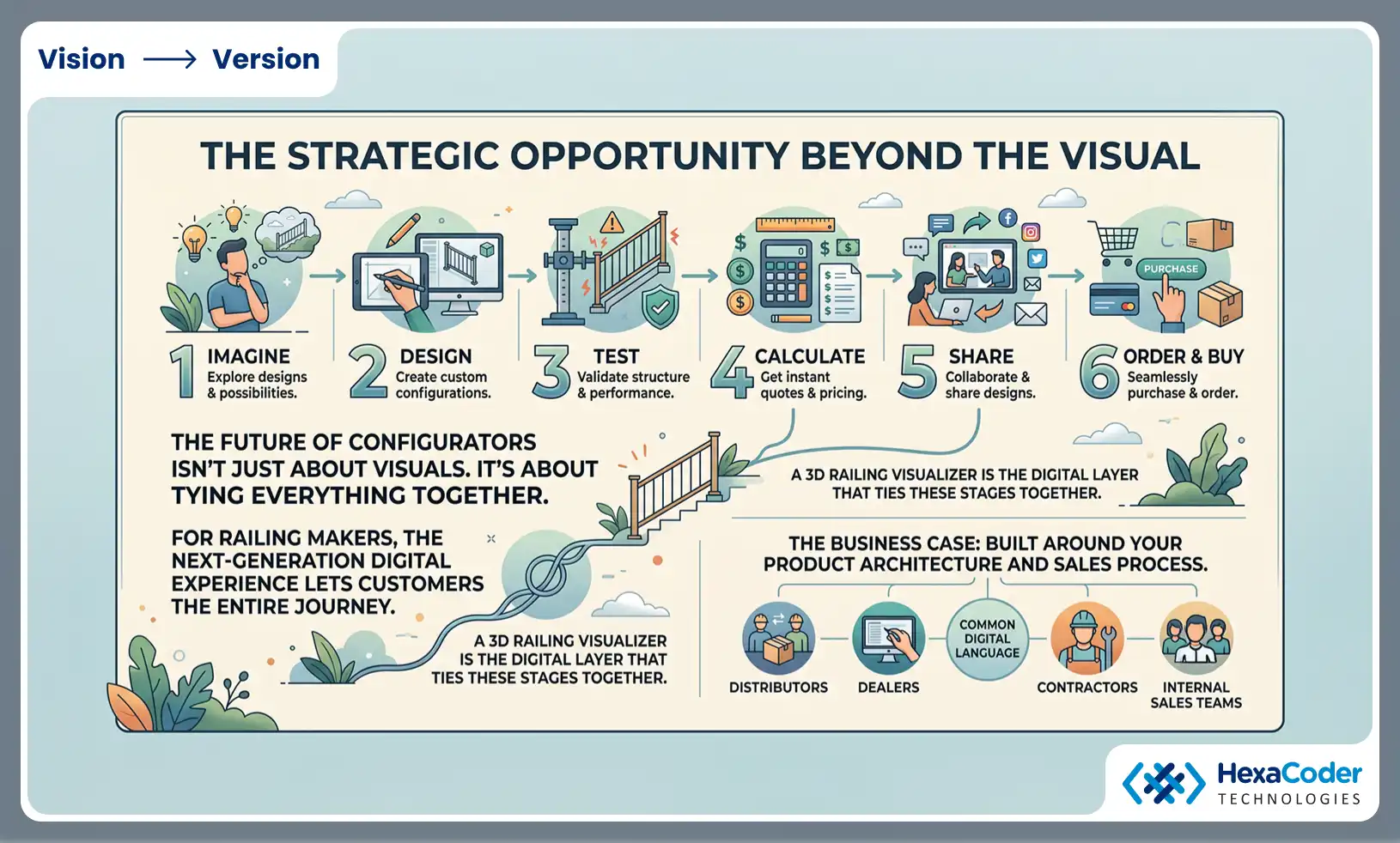
The future of configurators isn’t just about making products look three-dimensional.
It’s about tying visualization, configuration, product intelligence, and commerce together.
For railing makers, that means the next generation of digital experiences should let customers traverse the entire journey:
Imagine → Design → Test → Calculate → Share → Order → Buy
For manufacturers, a 3D Railing Visualizer can be the digital layer that ties those stages together.
The business case becomes particularly compelling when the configurator is designed around the manufacturer’s actual product architecture and sales process rather than an off-the-shelf visual gimmick.
That same technology can also support distributors, dealers, contractors and internal sales teams, creating a common digital language around the product portfolio.
Conclusion
The railing industry is moving toward a more visual, interactive and digitally assisted buying experience.
Consumers expect more than product images. They want to feel good about their choice.
Architects and contractors want tools that make project conversations easier and speed up client approval.
Manufacturers need scalable ways to communicate more complex Railing Systems.
And CEOs want digital investments that drive measurable business outcomes.
A modern 3D Product Visualization solution can meet all three requirements if it combines realistic 3D visualization with parametric configuration, material customization, code-aware product rules and true commercial integration.