Hexacoder Technologies

Accessories

Let buyers see every upgrade with an automotive accessories configurator

Take the guesswork out of vehicle upgrades. HexaCoder helps automotive accessory brands and retailers show how wheels, body kits, and styling upgrades look on specific vehicles, with compatible options and pricing.

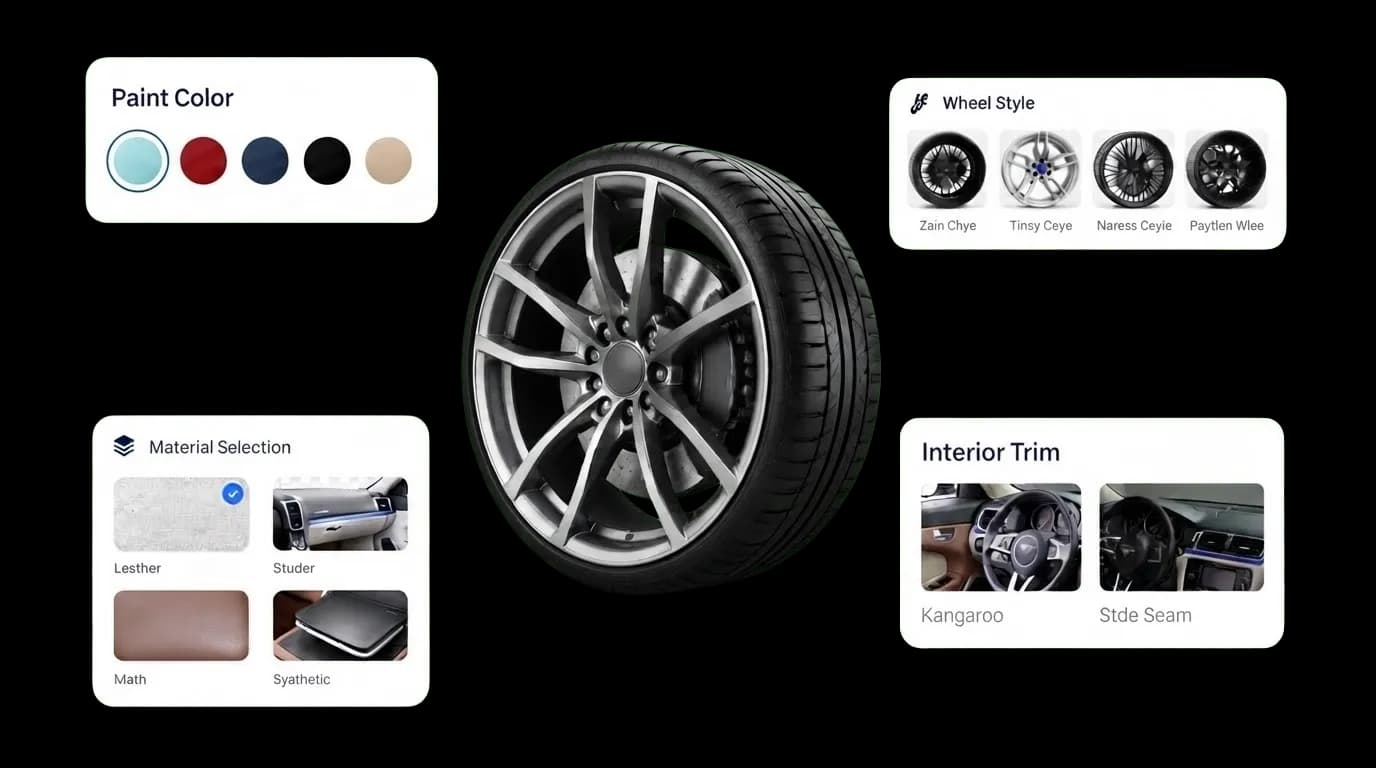
Alloy wheel configurator with paint color, wheel style, material, and interior trim options

Automotive accessory customization options

Show customers how every upgrade
changes their vehicle.

From a new set of wheels to a complete exterior styling package, every accessory can change how a car looks. We develop 3D car accessories experiences around the products and vehicle models your business supports.

Why interactive 3D matters

A wheel looks different
when it's on the car.

A customer finds a set of black alloy wheels they like. The product photos look impressive, but they're unsure whether the design will suit their vehicle.They also want to compare a silver finish and a different spoke pattern.An aftermarket parts visualizer helps customers explore supported upgrades on a 3D representation of their vehicle.

The problem

With traditional accessory shopping

  • Product photos show accessories separately.
  • Customers must imagine the installed appearance.
  • Comparing finishes can require multiple images.
  • The overall effect of several upgrades is unclear.
The solution

With interactive 3D visualization

  • Preview supported accessories on a vehicle model.
  • Compare available designs and finishes.
  • Rotate the vehicle to inspect the upgrade.
  • See how selected styling components look together.

How it works

From selecting a vehicle to
exploring the right upgrades.

We develop guided online car modification visualization experiences around your supported vehicles and accessory catalog.

  1. Select a vehicle

    Choose an available vehicle make, model, year, and variant from the catalog.

  2. Explore accessories

    Browse supported wheels, body components, lighting, and other upgrades.

  3. Personalize the look

    Compare available sizes, colors, finishes, and accessory combinations.

  4. Review and move forward

    Inspect the configured vehicle and proceed to checkout, quotation, or a sales inquiry.

Vehicle fitment challenges

The best-looking upgrade
still needs to fit.

A wheel may have the wrong bolt pattern or offset. A body kit may only fit certain model years, while some accessories require additional installation components.These are important considerations before a customer places an order.HexaCoder develops automotive part configurator solutions around your supplied fitment and compatibility data.

  • 01

    Vehicle-specific fitment

    Match supported accessories with defined makes, models, years, and variants.

  • 02

    Wheel specifications

    Apply available bolt pattern, offset, size, and other defined fitment requirements.

  • 03

    Installation dependencies

    Account for mounting kits, brackets, and other required components.

  • 04

    Accessory conflicts

    Prevent combinations identified as incompatible in your product data.

Custom development and integrations

Built around your accessory catalog
and vehicle coverage.

An aftermarket wheel brand may need detailed rim visualization, while an exterior styling company may offer complete body kits and upgrade packages.HexaCoder develops custom car accessories configuration solutions for automotive websites around these requirements.

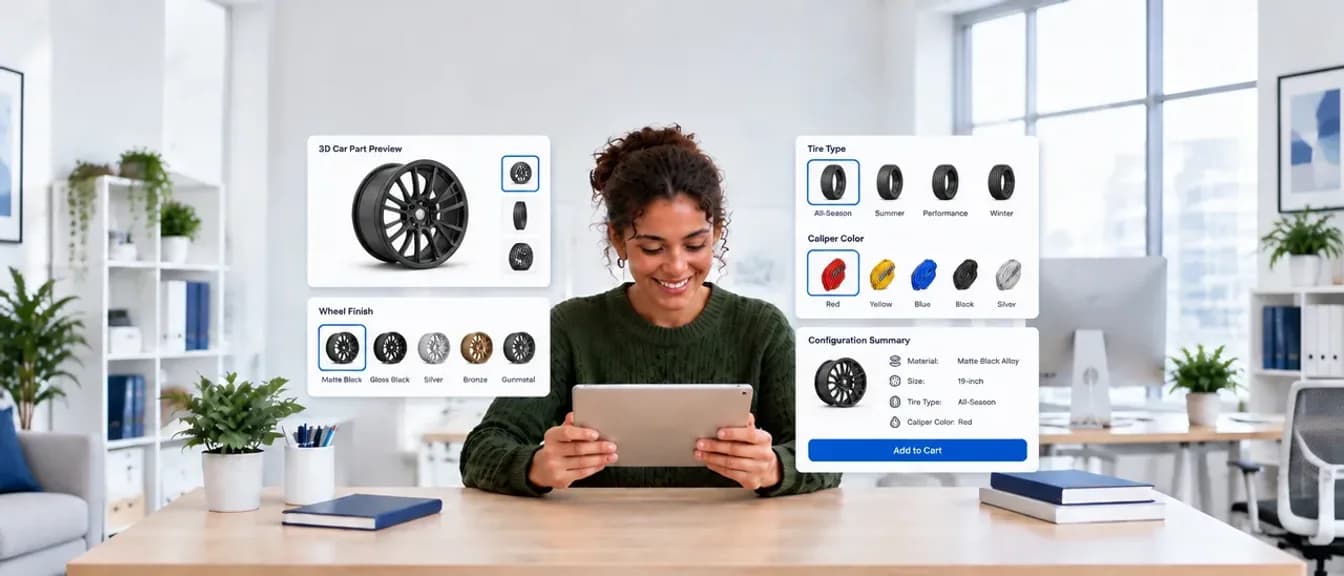
Woman holding a tablet, surrounded by configurator panels for a 3D car part preview, wheel finish, tire type, caliper color, and a configuration summary with an Add to Cart button
  • Custom 3D configuration interface

    Develop a branded car wheel and rim visualizer for supported vehicles.

  • Real-time accessory visualization

    Render wheels, exterior components, interior upgrades, and finishes in 3D.

  • Vehicle fitment rule engine

    Connect accessory compatibility with supplied vehicle and product specifications.

  • Visual CPQ and pricing

    Apply defined pricing rules to accessories, finishes, and upgrade packages.

  • Website and eCommerce integration

    Connect the configurator with product pages, carts, and ordering workflows.

  • Product data and order integration

    Connect accessory catalogs, inventory, and configurations with business systems.

Want customers to see accessories on their vehicles?

Explore a vehicle modification visualization solution tailored to your accessories, vehicle compatibility, and sales needs.

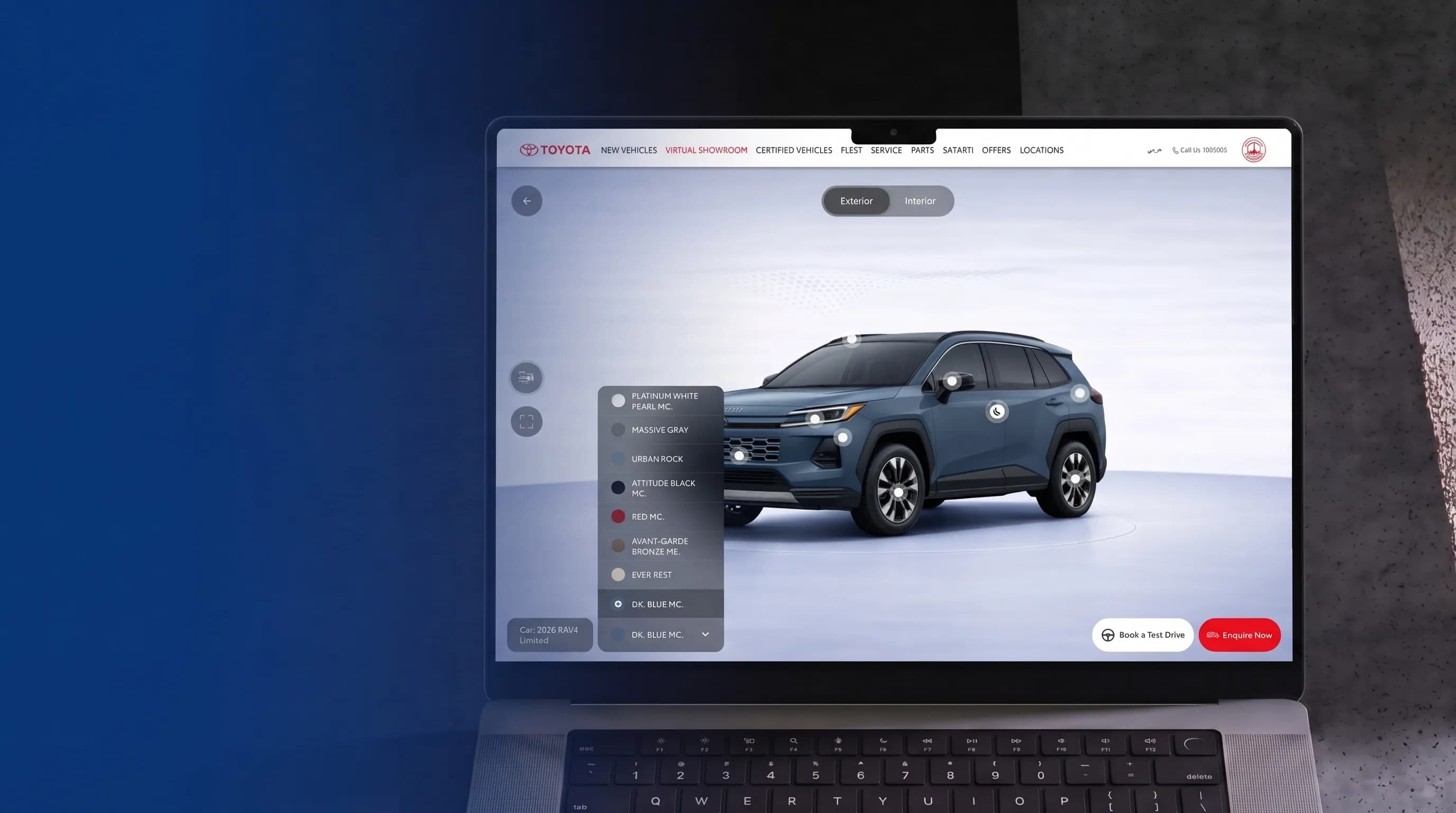
Laptop showing a 3D car configurator with paint color options, an exterior and interior toggle, and test drive and enquiry buttons

FAQs

Frequently asked questions

Start growing your business