
Hexacoder Technologies

3D product configurator for omnichannel sales

Connect product customization across websites, showrooms, and dealer networks with a custom 3D product configurator that keeps every sales channel working together.

Three people in a furniture showroom configuring a modular shelving unit on a touchscreen table, with the same design on a wall screen and a tablet

Challenges

Common challenges in managing product configuration across sales channels

Customers may discover a product online, explore options in a showroom, and complete their purchase through a dealer. When these channels use disconnected systems, the buying experience becomes inconsistent and difficult to manage.

  • Different product options across channels

    A website may display customization choices that are unavailable in a showroom or dealer catalog. These differences create confusion when customers move between channels expecting the same product options.

  • Repeated product customization

    Customers who configure a product online may need to repeat every selection when speaking with a sales representative. Starting again wastes time and interrupts the buying process.

  • Inconsistent pricing information

    Prices may vary by region, dealer, customer agreement, or sales channel. Without coordinated pricing rules, teams can struggle to explain differences or prepare quotations using the correct conditions.

  • Outdated dealer product information

    Dealers and distributors may work with catalogs that do not reflect recent product changes. This can result in discussions about unavailable options or specifications that have already been updated.

  • Disconnected customer interactions

    When product selections and previous conversations are not available across channels, sales teams lack the context needed to continue a customer's buying journey.

Our solution

What our omnichannel product configurator can do for you

HexaCoder develops connected 3D product configuration experiences that allow customers and sales teams to work with the same product information across supported channels, without forcing every interaction into a single purchasing process.

  • Start product customization online

    Let customers explore available product designs and create their preferred configuration through a website or supported mobile experience before contacting a sales representative.

  • Continue the experience in-store

    Allow a showroom representative to retrieve a customer's saved design and continue the conversation from the existing selection instead of recreating the product.

  • Support dealer-assisted selling

    Give authorized dealers access to relevant product configurations so they can guide customers through available choices and prepare the next steps in the sales process.

  • Share product selections across channels

    Use configuration references to make supported product choices available wherever customers continue their journey, including sales appointments and authorized partner interactions.

  • Personalize the sales conversation

    Help sales representatives understand which product options a customer has already explored, allowing them to focus on remaining questions and purchase requirements.

  • Support different purchasing journeys

    Enable customers to explore independently, receive assistance in person, or complete a purchase through the appropriate sales channel without requiring every channel to follow an identical workflow.

Key features

Key features of our omnichannel 3D product configurator

An omnichannel experience requires coordinated product data, access controls, and configuration management. HexaCoder develops the technical foundation needed to support consistent customization across different sales environments.

  • Centralized product option management

    Maintain defined product attributes, available variations, and configuration information through a shared data structure that can be used by connected channels.

  • Shared product configuration rules

    Apply approved product dependencies, restrictions, and compatibility conditions across supported interfaces so the same product follows consistent technical requirements.

  • Channel-specific pricing rules

    Support pricing conditions based on authorized dealers, regions, customer agreements, or sales channels while maintaining appropriate access to pricing information.

  • Persistent configuration records

    Store selected options against a unique configuration identifier, allowing authorized users to retrieve the correct design during later interactions.

  • Dealer roles and permissions

    Control which products, configurations, pricing information, and actions are available to different users based on their assigned permissions.

  • Channel-specific user interfaces

    Adapt the configuration interface for websites, showroom displays, tablets, kiosks, and dealer portals while using the relevant shared product logic.

  • Product data synchronization

    Exchange product information with connected systems to keep supported channels aligned with approved catalog updates and available configuration options.

  • Connected quotation records

    Associate configuration details with relevant quotation references so sales teams can maintain continuity between product selection and commercial discussions.

How it works

How customers can configure products online and continue in-store

A connected omnichannel workflow lets customers begin independently and continue with sales assistance. The experience depends on saved configuration data and the systems available across participating channels.

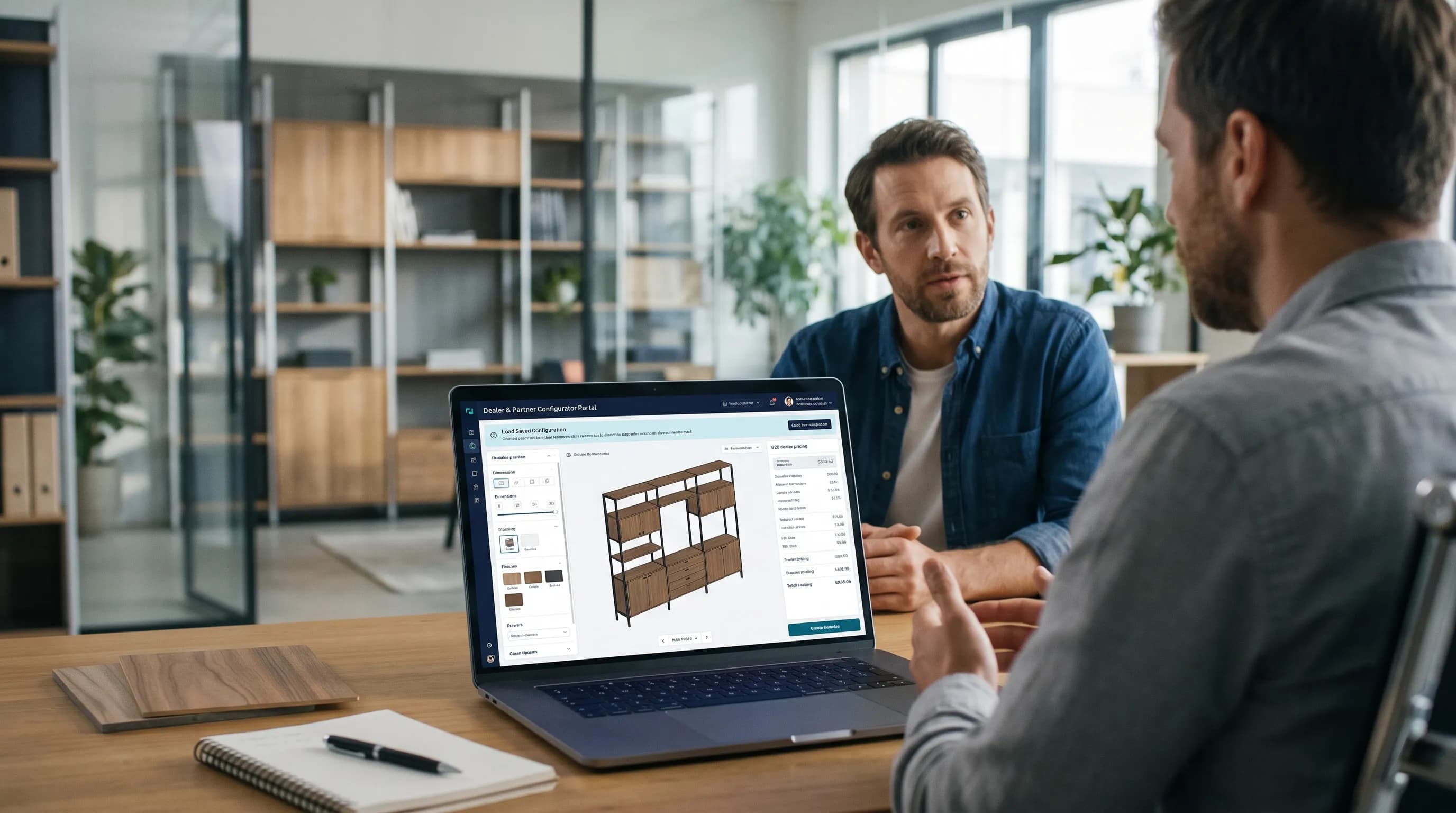
Dealer and customer at a desk reviewing a saved shelving configuration in a dealer and partner configurator portal, with dimensions, finishes and dealer pricing
  1. 01

    Explore products online

    A customer visits the website, selects a configurable product, and begins exploring available designs and options.

  2. 02

    Create a preferred configuration

    The customer chooses the desired product specifications and saves the selection for future reference.

  3. 03

    Receive a configuration reference

    The system creates a saved record or shareable reference that can be used to retrieve the product selection.

  4. 04

    Continue with a sales representative

    An authorized showroom or dealer representative retrieves the configuration, discusses remaining requirements, and makes supported changes if necessary.

  5. 05

    Complete the sales process

    The finalized selection moves into the appropriate quotation or order workflow using the rules and commercial conditions of the selected channel.

Channel applications

Where you can use an omnichannel 3D product configurator

A connected configuration experience can serve different sales environments without requiring each location or channel to maintain an entirely separate product customization system.

Custom development and integrations

Connect your omnichannel configurator with sales and business systems

Reliable omnichannel configuration depends on exchanging the right information between existing platforms. HexaCoder builds custom integrations to connect product data, customer records, pricing services, and sales workflows.

  1. 01

    CRM integration

    Associate saved configurations with supported customer or opportunity records, helping sales teams access relevant product preferences during follow-up conversations.

  2. 02

    ERP integration

    Exchange applicable product references, order information, and business data with existing ERP systems to support connected sales and order processes.

  3. 03

    eCommerce platform integration

    Connect the configurator with supported storefront catalogs, customer sessions, carts, and purchasing workflows.

  4. 04

    Dealer portal integration

    Make configuration functionality available within authorized dealer environments while respecting relevant user permissions and business requirements.

  5. 05

    PIM and product catalog integration

    Retrieve approved product attributes and option information from connected catalog systems so participating channels can use consistent product definitions.

  6. 06

    Pricing and quotation integration

    Connect configuration selections with supported pricing services, Visual CPQ workflows, and quotation systems while applying the correct channel-specific commercial rules.

  7. 07

    Custom API and data synchronization

    Develop interfaces for exchanging configuration references, catalog updates, and other required information between existing business applications.

Business benefits

Business benefits of omnichannel product configuration

Connecting product configuration across sales channels can reduce repeated work, improve coordination, and make the buying journey easier to continue. The business impact depends on the channels, systems, and workflows included in the implementation.

FAQs

Frequently asked questions

Start growing your business