

Hexacoder Technologies

Simplify 3D data management across your product lifecycle

Organize, optimize, and connect your 3D assets in one system, making product data easier to manage, update, and reuse.

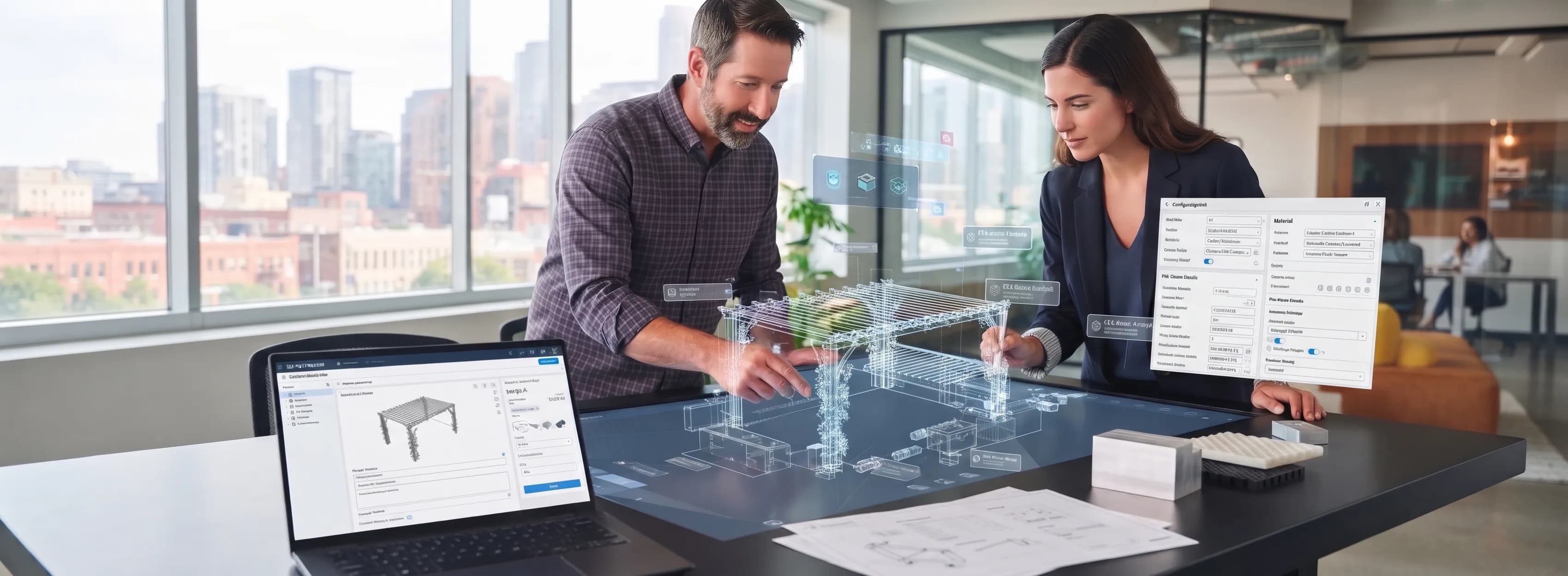
Two colleagues at a table examining a holographic wireframe pergola model, with asset details on a laptop and a floating product data panel

The challenge

Common challenges in managing 3D product data

As product catalogs expand, managing 3D models across different teams, tools, and applications becomes increasingly difficult.

  • Scattered 3D assets

    Models, textures, and product files are stored across multiple folders, servers, and applications. Finding the correct asset often means searching through disconnected systems.

  • Duplicate models and variations

    Different product sizes, finishes, and configurations create multiple versions of similar files. Without an organized library, teams may recreate assets that already exist.

  • Outdated product models

    Design changes are not always reflected across every application. Older models can remain in use, creating differences between approved product specifications and digital visuals.

  • Heavy files and slow performance

    Detailed CAD models and high-resolution textures can be too large for interactive web experiences, leading to longer loading times and inefficient rendering.

  • Disconnected product information

    When 3D models are separated from product specifications and configuration data, teams must manually match assets with the correct products and variations.

Our solution

What our 3D data management solution can do for you

Bring your 3D models, materials, and product information into an organized environment where assets are easier to find, manage, and reuse.

  • Centralize your 3D asset library

    Bring product models, components, textures, and supporting files into a structured 3D model database, with consistent identifiers and asset relationships.

  • Find the right assets faster

    Search and filter models using product names, categories, materials, file types, and custom metadata instead of navigating folders manually.

  • Preview models without opening design software

    Inspect supported 3D assets through an interactive viewer. Rotate, zoom, and examine product geometry before selecting files for further work.

  • Manage product variations

    Organize models by product family, dimensions, finishes, and available components. Link related variations without treating every file as an unrelated asset.

  • Reuse existing 3D components

    Maintain shared models and materials that can support multiple product configurations, reducing unnecessary duplication and repeated preparation.

  • Keep related product data together

    Associate 3D assets with specifications, product identifiers, and relevant configuration attributes so teams can identify where each model belongs.

Key features

Key features of our 3D data management solution

From processing complex source files to controlling published assets, our custom solutions support the technical workflows behind reliable 3D experiences.

  • Multi-format 3D data processing

    Bring supported CAD files, mesh models, LiDAR data, and photogrammetry outputs into defined processing workflows based on your source formats and application requirements.

  • Geometry optimization

    Reduce unnecessary polygon complexity and prepare suitable mesh structures for the intended viewing environment.

  • Texture and material management

    Organize material libraries, prepare textures, and maintain consistent visual properties across related product assets.

  • File conversion and export

    Convert supported source models into formats required by web viewers, configurators, and other connected applications.

  • Metadata and asset tagging

    Attach searchable information such as product family, model status, component type, material, and revision identifiers to improve asset discovery.

  • Automated processing workflows

    Create repeatable workflows for file validation, conversion, optimization, and publishing to reduce repetitive manual tasks.

  • Version control and approvals

    Track asset revisions, manage review stages, and distinguish approved models from drafts or outdated files.

  • Access control and permissions

    Define who can view, upload, edit, approve, or publish assets according to your organization's access requirements.

How it works

How 3D asset management works from upload to deployment

A connected workflow helps move 3D assets from their original source files to approved models ready for business applications.

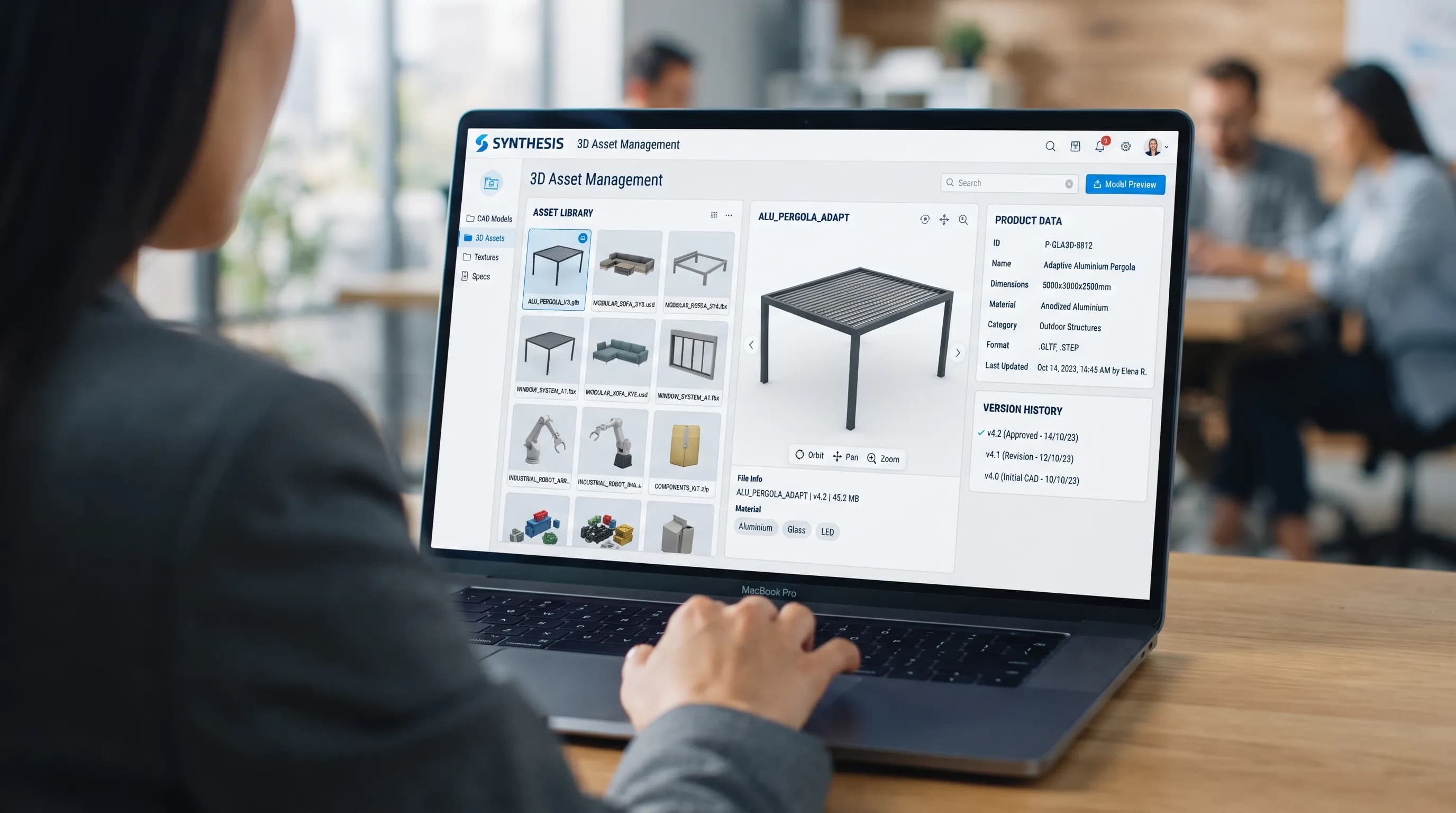
Person browsing a 3D asset library on a laptop, with a pergola model preview, product data and version history
  1. 01

    Upload and import assets

    Import supported 3D models, CAD files, textures, and related product data from existing repositories or connected systems.The workflow can capture source information and product identifiers to help maintain traceability.

  2. 02

    Process and optimize models

    Prepare imported assets through applicable geometry cleanup, format conversion, texture processing, and optimization.Processing requirements can vary depending on whether the asset is intended for a configurator, viewer, or another application.

  3. 03

    Organize and classify data

    Assign models to product families, components, and categories. Add metadata that makes assets searchable and connects them to related product information.

  4. 04

    Review and approve assets

    Check relevant properties such as model orientation, dimensions, materials, and file status before approving assets for publication.

  5. 05

    Publish and connect

    Make approved models available to supported 3D viewers, configurators, and business applications through defined delivery workflows or integrations.

Industry applications

3D data management across industries

Manage complex product libraries and prepare reusable 3D assets for visualization, customization, and connected digital workflows.

Custom development and integrations

Connect your 3D data with configurators and business systems

HexaCoder develops custom 3D data integration workflows that connect product assets with the applications and systems your business already uses.

  1. 01

    3D product configurator integration

    Connect approved models, materials, and components with interactive configuration experiences.3D data management for interactive configurators helps applications retrieve the appropriate assets when users select different product options.

  2. 02

    Product information management integration

    Link 3D assets with PIM records so product identifiers, attributes, and relevant catalog information remain connected.

  3. 03

    PLM and engineering data integration

    Connect asset references and revision information with supported product lifecycle and engineering workflows.

  4. 04

    ERP and business system integration

    Share relevant product identifiers, asset references, and configuration information with connected business applications.

  5. 05

    API-based asset delivery

    Develop interfaces that allow authorized applications to request approved models, materials, and related metadata.

  6. 06

    Custom asset management applications

    Build tailored interfaces, processing pipelines, and administration workflows around your product catalog and operational requirements.

Business benefits

Business benefits of centralized 3D data management

Better asset organization helps reduce repetitive work, maintain consistent product information, and support new digital product experiences.

FAQs

Frequently asked questions

Start growing your business