Hexacoder Technologies

Bus configurator

Make every bus specification clear with a 3D bus configurator

Help fleet operators, transport companies, and dealers explore seating capacities, amenities, and interior layouts before requesting a quote. HexaCoder builds custom configuration solutions around your bus models and manufacturing needs.

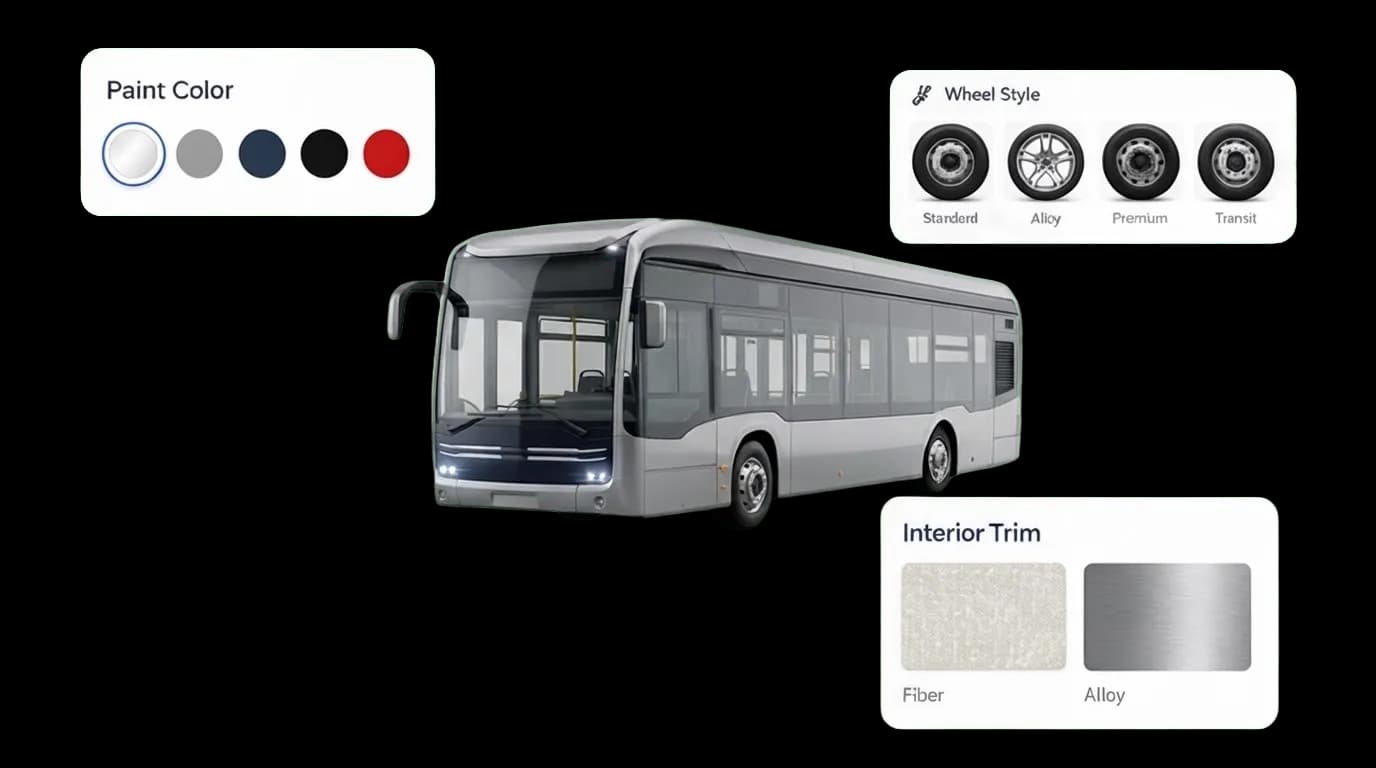
Electric city bus configurator with paint color, wheel style, and interior trim options

Bus customization options

Every bus has a purpose.
Every layout has different needs.

A city bus prioritizes passenger movement, while a luxury coach may need reclining seats and luggage storage. We develop bus customization software around the vehicle types and options your business offers.

Why interactive 3D matters

A seating chart can't show
the whole passenger experience.

A transport operator requests a 45-seat coach with additional luggage capacity and an accessible entry arrangement.A seating plan may show the number of seats, but understanding how the interior space is allocated requires more detail.An interactive 3D bus configurator helps customers examine supported layouts and equipment within a complete vehicle model.

The problem

With traditional bus presentations

  • Floor plans show layouts in two dimensions.
  • Equipment details may appear in separate documents.
  • Interior finishes can be difficult to picture.
  • Layout changes may require revised drawings.
The solution

With interactive 3D visualization

  • Explore supported seating arrangements in context.
  • Inspect passenger areas from different viewpoints.
  • See how selected equipment occupies interior space.
  • Review the vehicle's appearance before approval.

How it works

From choosing a bus model to
defining its specifications.

We develop an online bus design solution around your vehicle options and approval requirements.

  1. Choose a bus model

    Start with an available city bus, coach, shuttle, minibus, or specialty vehicle.

  2. Define the passenger layout

    Select supported seating arrangements, capacities, and interior configurations.

  3. Add equipment and finishes

    Choose available passenger amenities, storage, accessibility options, and materials.

  4. Review and move forward

    Inspect the configuration and submit the selected specifications for quotation or technical review.

Bus configuration challenges

Every change in layout
affects the space around it.

Adding a luggage compartment can reduce available passenger space. Changing a door position may affect seating arrangements, while accessibility equipment can introduce additional layout requirements.These relationships need to be considered before a configuration progresses.HexaCoder develops bus configuration software for commercial vehicles around your defined engineering constraints.

  • 01

    Passenger capacity limits

    Control supported seat counts and layouts for each vehicle model.

  • 02

    Space allocation

    Manage dependencies between seating, storage, access, and equipment areas.

  • 03

    Chassis and body compatibility

    Apply supported restrictions based on vehicle platforms and body variants.

  • 04

    Equipment requirements

    Account for components that depend on specific layouts or vehicle specifications.

Custom development and integrations

Built around your bus models
and technical workflows.

A transit bus manufacturer may prioritize passenger layouts and accessibility, while a coach manufacturer may need detailed seating classes and interior equipment options.HexaCoder develops custom bus configurators for manufacturers around these requirements.

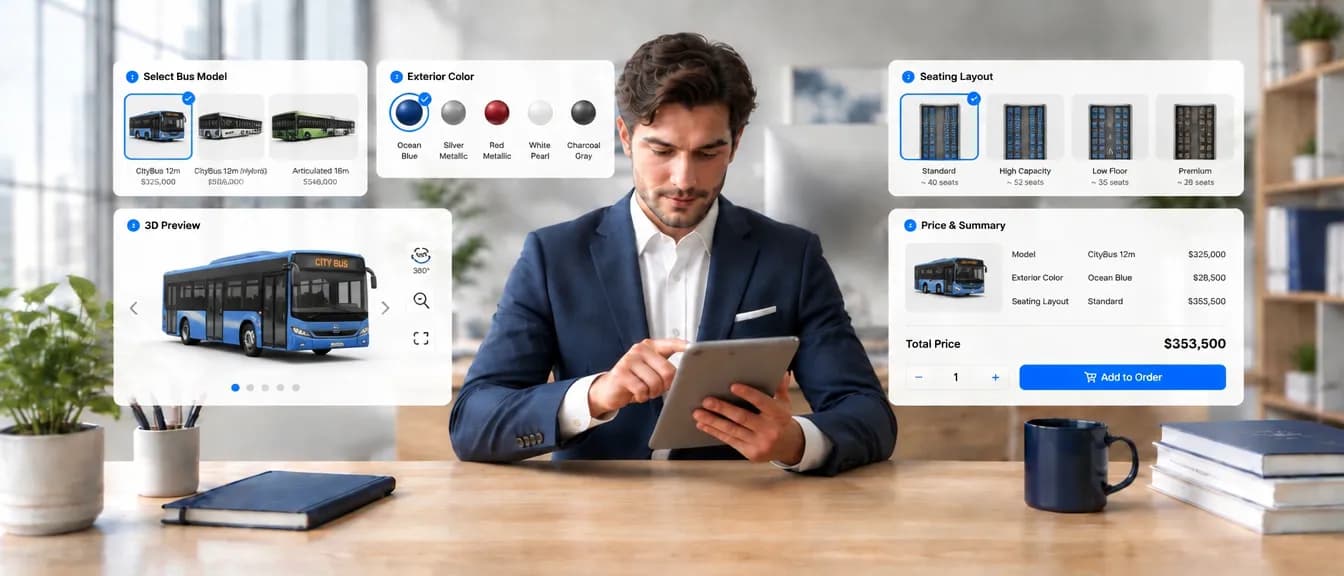
Man holding a tablet, surrounded by configurator panels for bus model, exterior color, seating layout, a 3D bus preview, and a price and summary with an Add to Order button
  • Custom 3D configuration interface

    Develop a branded commercial vehicle configurator for models and equipment.

  • Real-time vehicle visualization

    Build bus visualization software for supported interior and exterior changes.

  • Product data management

    Organize vehicle variants, seating options, equipment catalogs, and visual assets.

  • Visual CPQ and pricing

    Connect valid vehicle selections with defined pricing and quotation workflows.

  • ERP and CRM integration

    Connect configuration data with relevant sales, product, and business systems.

  • Technical data outputs

    Prepare specifications for engineering review, order processing, and workflows.

Planning a 3D bus configurator for your fleet?

Share your bus models and equipment needs. We'll explore an online bus customization solution for bus manufacturers tailored to quoting.

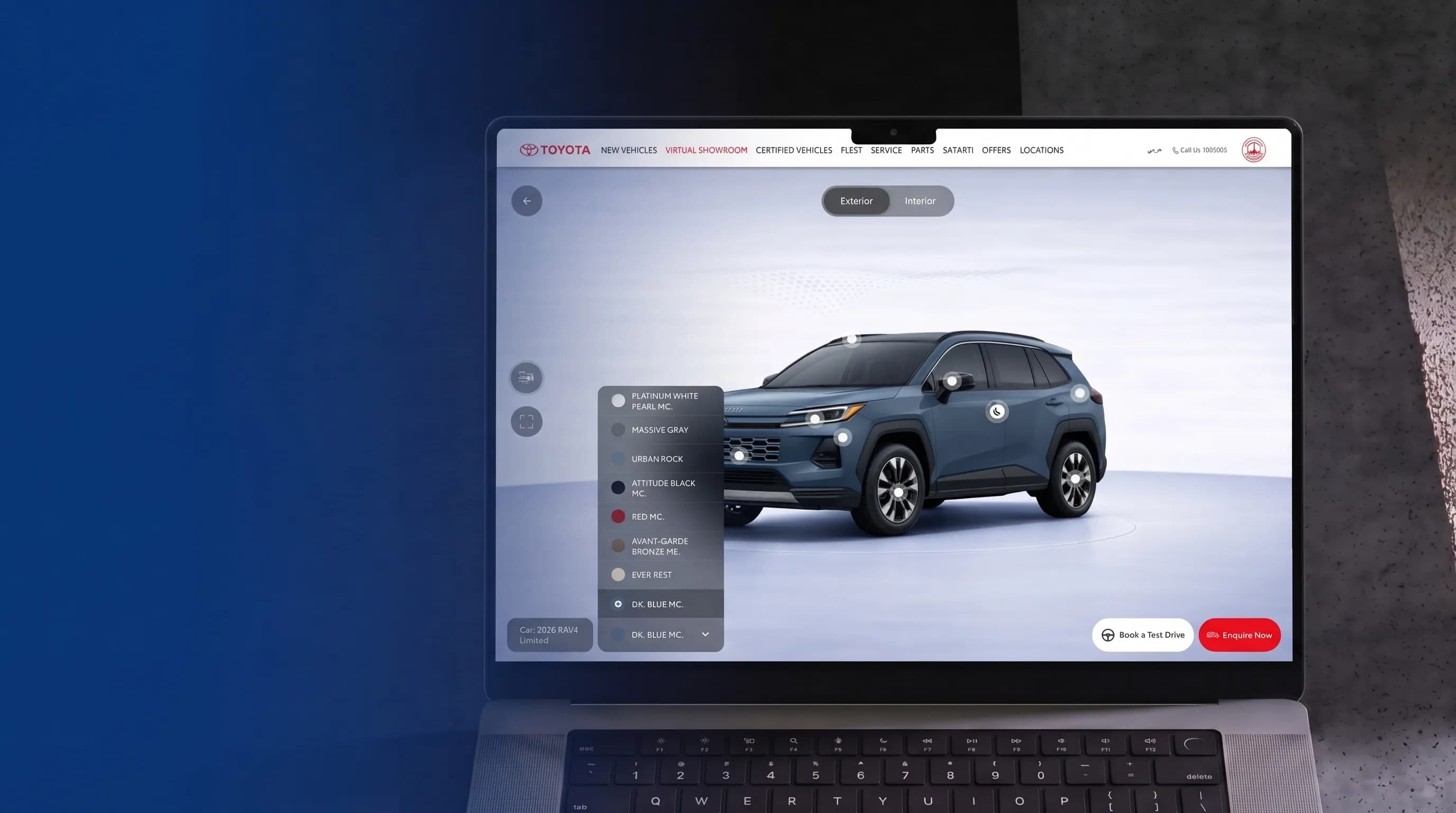
Laptop showing a 3D car configurator with paint color options, an exterior and interior toggle, and test drive and enquiry buttons

FAQs

Frequently asked questions

Start growing your business