Hexacoder Technologies

Door and window

Make every opening the right fit with a 3D door and window configurator

Help customers choose doors and windows that match their spaces and specifications. HexaCoder builds interactive 3D experiences for manufacturers to visualize dimensions, frame styles, glazing, hardware, and finishes, with product rules and pricing connected.

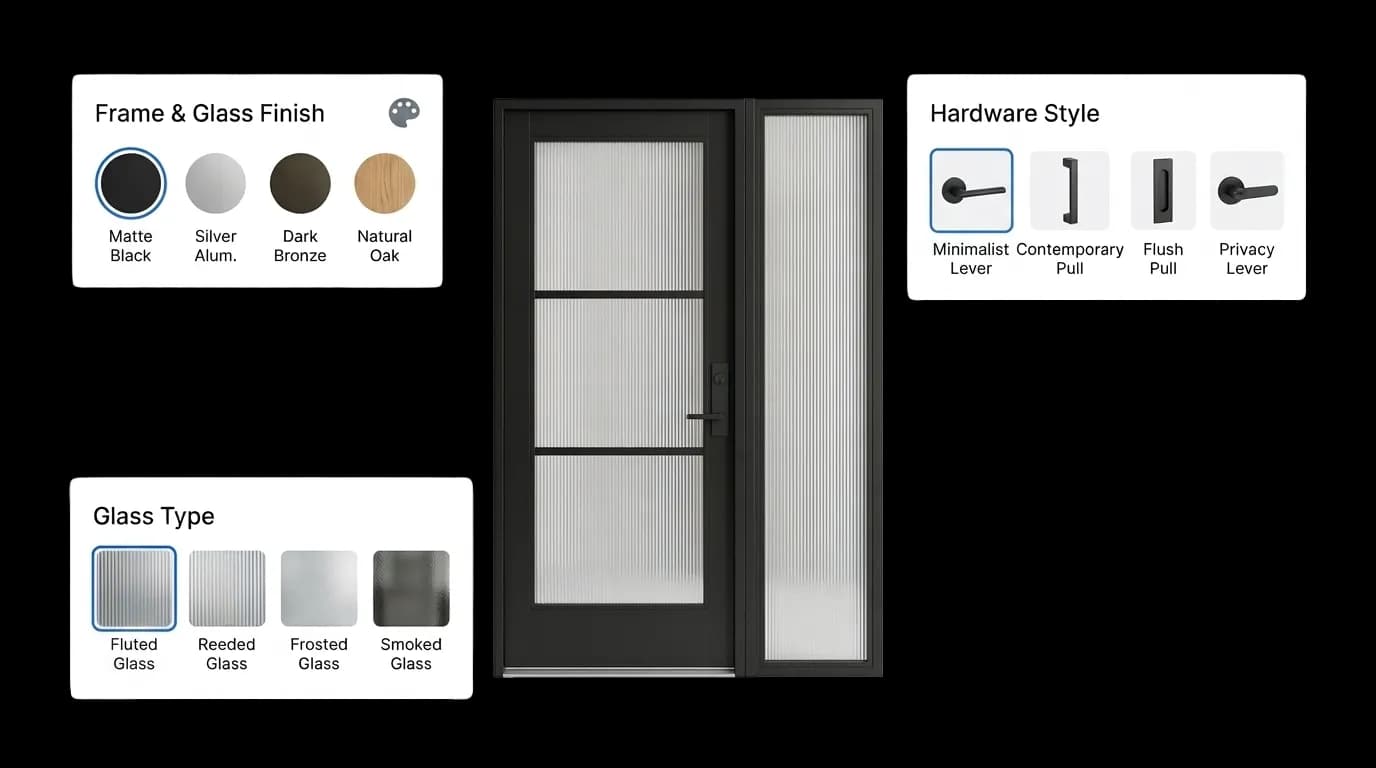
Black glass door configurator with frame and glass finish, hardware style, and glass type options

Door and window customization options

Every opening is different.
Let customers design around it.

From residential windows to commercial entrance systems, every product has different dimensions, materials, and components. We develop configuration experiences around the door and window options your business manufactures.

Why interactive 3D matters

A technical drawing shows dimensions.
A 3D preview shows the design.

Imagine a customer configuring a large sliding door with dark aluminum frames and tinted glass. They know the required dimensions but want to compare how different profiles and finishes will look.Technical drawings explain measurements, but they don't always communicate the appearance of the completed product.A 3D door configurator and window visualizer bring supported dimensions, frames, glazing, and hardware together in one interactive experience.

The problem

With traditional door and window presentations

  • Technical drawings focus on dimensions and specifications.
  • Catalog images show limited frame and glazing combinations.
  • Customers must imagine how selected finishes look together.
  • Design changes may require additional visual explanations.
The solution

With interactive 3D visualization

  • Preview supported frames, panels, and glazing together.
  • Compare available colors, materials, and finishes.
  • Rotate and zoom to inspect product details.
  • See how selected dimensions affect the design.

How it works

From opening measurements to a
configured design.

We develop guided door and window design software around your supported products, dimensions, components, and configuration rules.

  1. Choose a product

    Start with an available door or window style and opening type.

  2. Enter dimensions

    Set supported width, height, and other required measurements.

  3. Customize and preview

    Select compatible frames, glazing, hardware, and finishes in interactive 3D.

  4. Review and move forward

    Review the configuration and proceed to pricing, quotation, or ordering.

Door and window configuration challenges

One change in size
can affect the entire product.

Increasing a window's width may change its supported frame or glazing requirements. Certain hardware options depend on opening styles, while panel arrangements must follow defined product limitations.These relationships matter before a custom design moves toward manufacturing.HexaCoder develops rule-based door and window configurators around your engineering and production specifications.

  • 01

    Dimension restrictions

    Apply supported minimum and maximum measurements for each product.

  • 02

    Frame and profile compatibility

    Manage available materials, profiles, and supported structural combinations.

  • 03

    Glazing requirements

    Match supported glass types, thicknesses, and panels with compatible frames.

  • 04

    Hardware and opening rules

    Control available hinges, locks, handles, and opening mechanisms.

Custom development and integrations

Built around your product catalog
and manufacturing workflows.

A residential window manufacturer may prioritize sizes and glazing options, while a commercial door supplier may need advanced hardware rules and quotation workflows.HexaCoder develops 3D door and window configurator software around these different requirements.

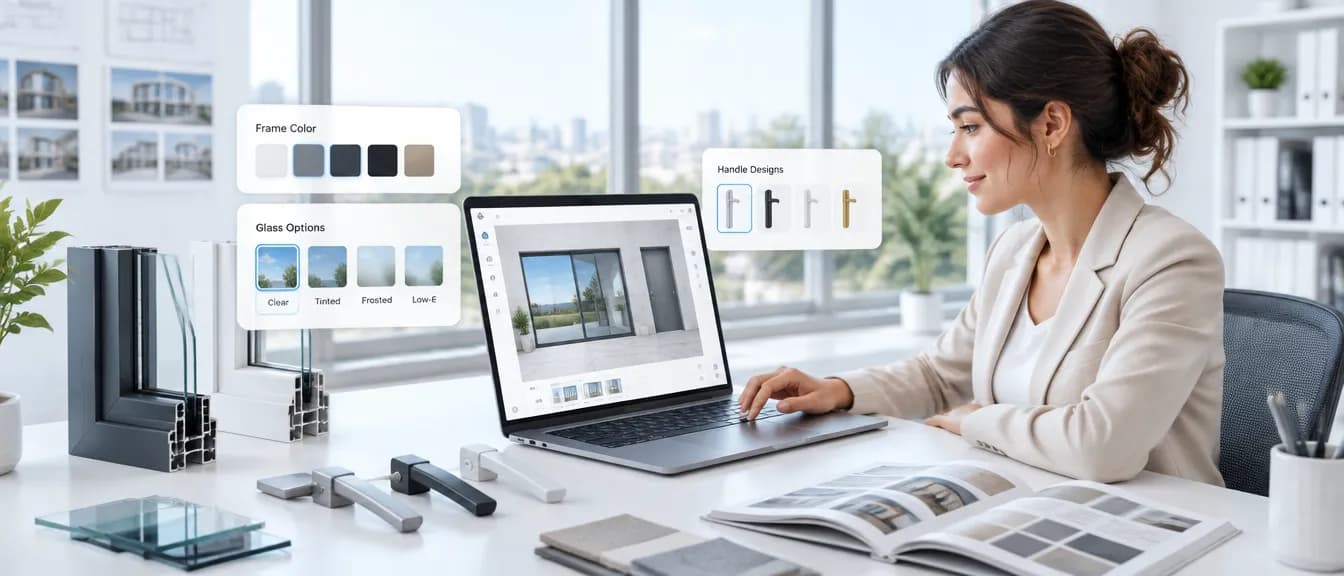
Woman at a desk using a door and window configurator on a laptop, with floating panels for frame color, glass options, and handle designs beside window profile, handle, and glass samples
  • Custom 3D configuration interface

    Create a branded online door designer or window configurator around your products.

  • Real-time product visualization

    Preview supported dimensions, frames, glazing, hardware, and finishes in interactive 3D.

  • Product data and configuration rules

    Manage dimensional limits, component compatibility, opening types, and engineering restrictions.

  • Visual CPQ and dynamic pricing

    Connect dimensions, materials, glazing, and hardware with defined pricing and quotation rules.

  • Dealer, website, and CRM integration

    Connect configuration experiences with relevant dealer portals, websites, and sales workflows.

  • ERP and manufacturing data

    Capture validated specifications and support connected BOM, engineering, and production workflows.

Ready to simplify door and window configuration?

Tell us about your product styles, dimensions, glazing, hardware, and engineering requirements. We'll discuss a 3D door and window configurator tailored to your catalog and manufacturing workflows.

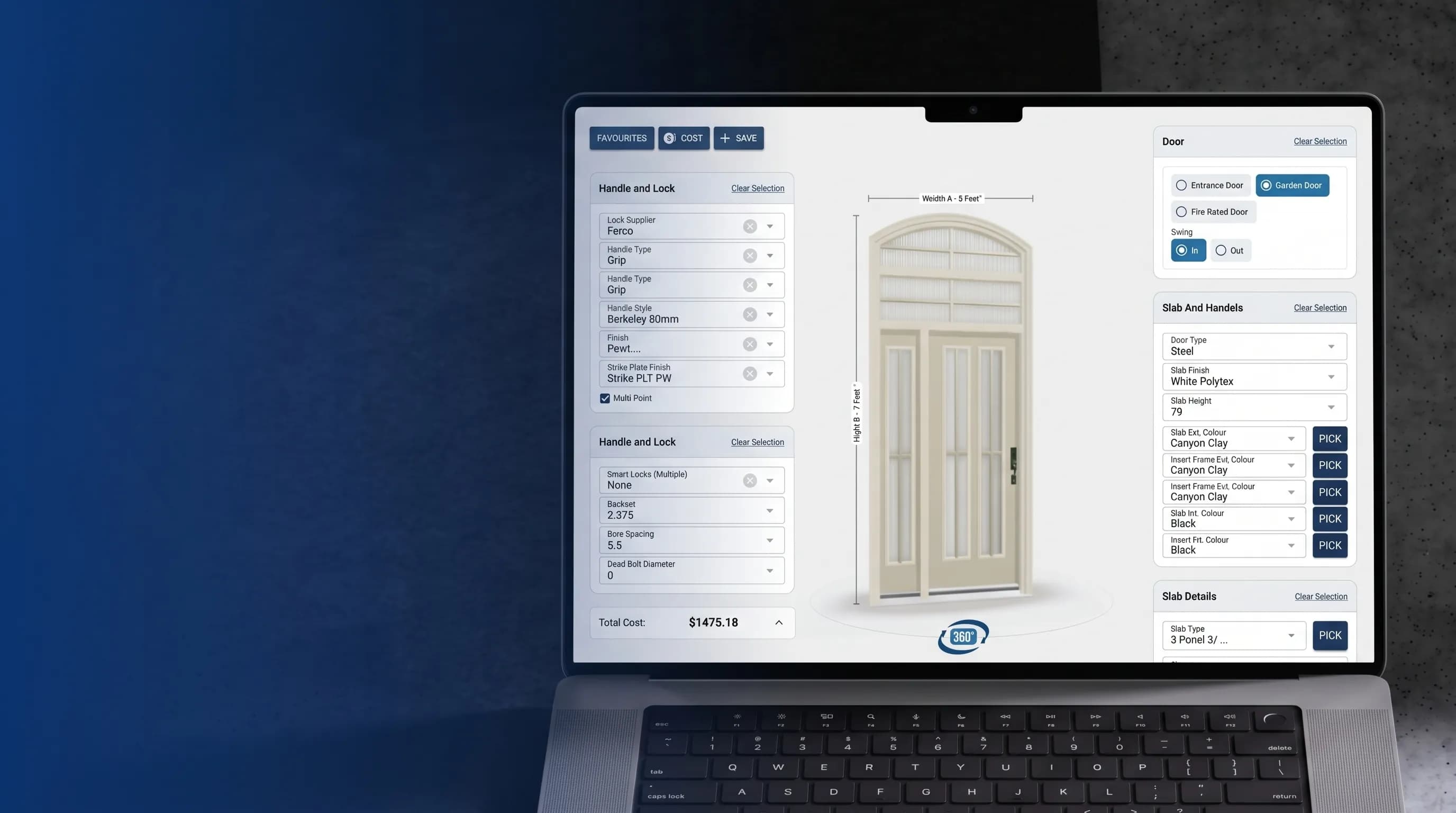
Laptop showing a 3D door configurator with an arched double door and handle, lock, and slab options

FAQs

Frequently asked questions

Start growing your business