Hexacoder Technologies

Box

From packaging ideas to production-ready designs with a 3D box configurator

Help customers design packaging that fits their products and brand. HexaCoder builds custom box configuration experiences where buyers can explore dimensions, structures, materials, and artwork while keeping pricing and production requirements aligned.

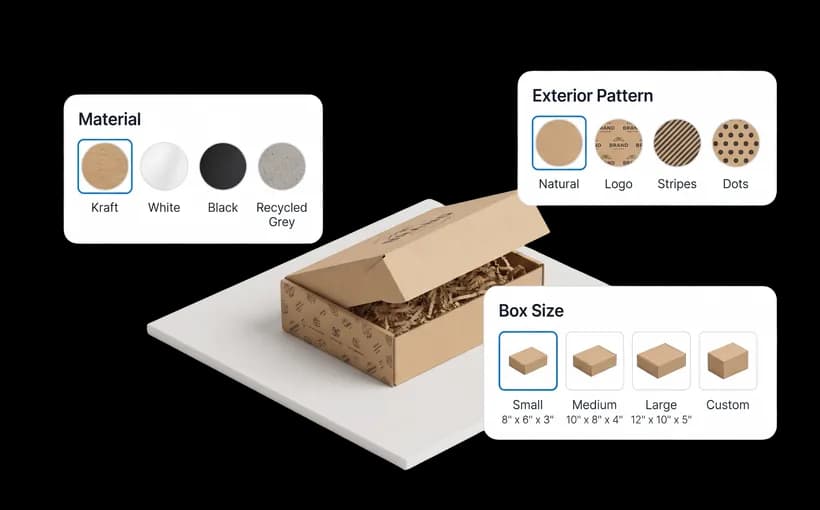
Kraft mailer box configurator with material, exterior pattern, and box size options

Box customization options

Every box has a purpose.
Every detail shapes the packaging.

From shipping cartons to premium retail packaging, each box has different structural and visual requirements. We develop box customization software around the structures, materials, and printing options your business offers.

Why interactive 3D matters

A flat box design doesn't show
the complete package.

A packaging buyer wants a folding carton with branded artwork, a metallic finish, and a custom insert for their product.A flat dieline shows the print layout, but understanding how the artwork and finishes will appear on the assembled box requires more visual context.A 3D box configurator lets customers explore supported packaging designs as complete, interactive models.

The problem

With traditional packaging presentations

  • Flat dielines show artwork without assembled context.
  • Material samples appear separately from the design.
  • Customers must imagine how folds affect graphics.
  • Design changes may require revised mockups.
The solution

With interactive 3D visualization

  • Preview artwork on the assembled box.
  • Rotate the packaging to inspect every side.
  • Compare supported materials and finishes.
  • See how selected dimensions affect the structure.

How it works

From choosing a box to
creating branded packaging.

We develop an online box configurator around your available packaging structures, dimensions, materials, and artwork requirements.

  1. Choose a box style

    Start with an available packaging structure or predefined design.

  2. Set the dimensions

    Enter supported measurements or select standard sizes.

  3. Add artwork and finishes

    Apply available graphics, colors, materials, coatings, and decorative details.

  4. Review and move forward

    Inspect the assembled box and proceed to pricing, quotation, or ordering.

Box configuration challenges

A good-looking box still needs
to be manufacturable.

Changing box dimensions can affect the structural design. Certain board thicknesses may not support every folding pattern, while printing and finishing methods have their own restrictions.These relationships matter before a custom packaging order reaches production.HexaCoder develops rule-based packaging design software around your defined manufacturing specifications.

  • 01

    Structural compatibility

    Manage supported box styles, folding patterns, and closure mechanisms.

  • 02

    Dimension restrictions

    Apply defined minimum and maximum measurements for each structure.

  • 03

    Material availability

    Show compatible board types, thicknesses, and available substrates.

  • 04

    Printing and finishing rules

    Control supported print methods, coatings, and decorative finishes.

Custom development and integrations

Built around your packaging catalog
and production workflows.

A corrugated packaging manufacturer may prioritize dimensions and structural rules, while a premium box supplier may need detailed artwork and finishing customization.HexaCoder develops custom box design software around these different requirements.

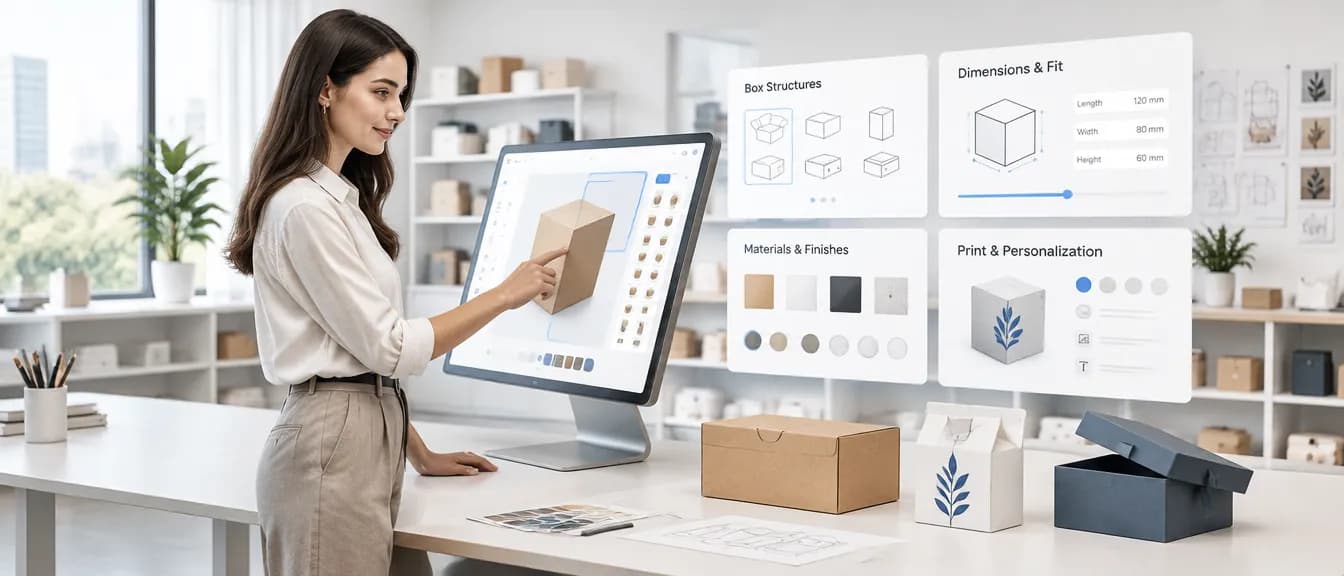
Woman using a touchscreen monitor showing a 3D box configurator, with floating panels for box structures, dimensions and fit, materials and finishes, and print and personalization, and sample boxes on the desk
  • Custom 3D configuration interface

    Create a branded online box customization tool around your packaging catalog.

  • Real-time box visualization

    Preview supported structures, dimensions, materials, artwork, and finishes in interactive 3D.

  • Product data and configuration rules

    Manage structural restrictions, material compatibility, dimensions, and available component combinations.

  • Visual CPQ and dynamic pricing

    Connect dimensions, materials, printing, finishes, and quantities with defined pricing rules.

  • Website and eCommerce integration

    Connect the configurator with relevant product pages, shopping carts, and sales workflows.

  • Prepress and production data

    Capture selected specifications, artwork references, and dieline information for connected workflows.

Ready to make your packaging catalog interactive?

Tell us about your box structures, materials, artwork requirements, and manufacturing rules. We'll discuss a custom box configurator for your packaging business and its sales and production workflows.

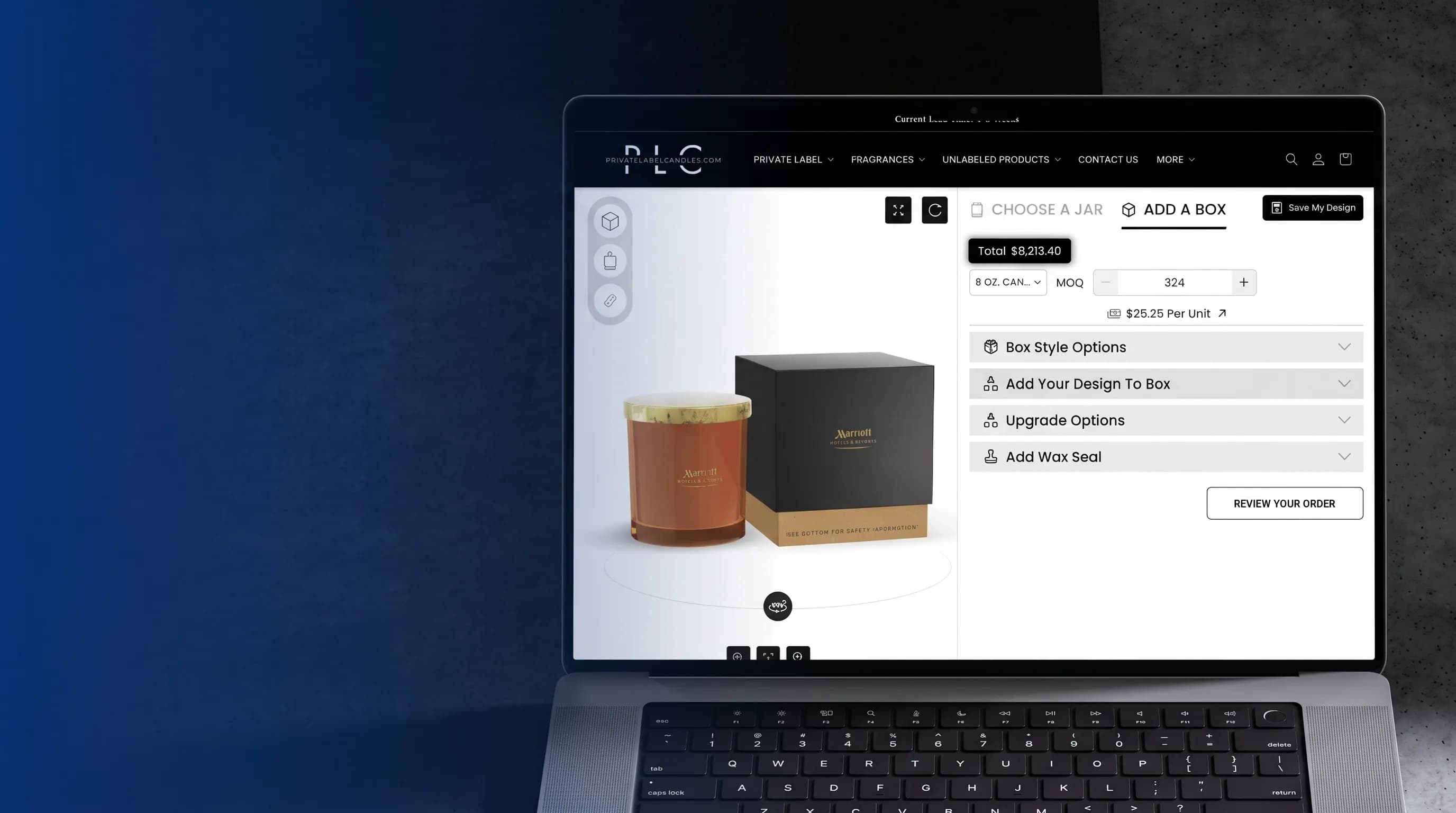
Laptop showing PLC's 3D candle configurator with an amber candle jar, a black gift box, and box style and design options

FAQs

Frequently asked questions

Start growing your business