Hexacoder Technologies

Shopify 3D product
configurator integration

Let customers customize complex products in 3D, with their selections connected to your Shopify store and order workflows.

Product customization

Give customers more than
a list of product options

We develop interactive 3D product experiences that help customers understand their choices before adding a customized product to their cart.

  • Interactive 3D visualization

    Customers can rotate, zoom, and explore products from different angles, making important features easier to understand.

  • Materials and finishes

    Show supported changes to colors, fabrics, textures, and finishes directly on the product model.

  • Custom dimensions

    Allow customers to select approved measurements or enter dimensions within the limits defined for your products.

  • Modular product options

    Configure compatible components, accessories, layouts, and assemblies using rules developed around your product structure.

  • Product validation

    Check required selections, component dependencies, and incompatible combinations before customers proceed with their purchase.

  • Custom storefront experience

    Design the configuration interface around your Shopify theme, product presentation, and existing shopping journey.

The problem and solution

A customized product shouldn't become
an incomplete order

A customer designs a modular sofa with specific dimensions and fabric, but the Shopify order lacks those details. Your team must confirm everything again.

When configuration and ordering are disconnected

  • Selected materials and dimensions may be missing.
  • Custom prices need additional manual checks.
  • Product rules are verified after the purchase.
  • Production teams request missing specifications.

When the workflow is connected

  • Supported selections accompany the order.
  • Product rules validate compatible combinations.
  • Pricing follows the agreed calculation logic.
  • Relevant specifications support order processing.

Connected shopping workflow

How does 3D customization
connect with Shopify checkout?

We connect the product configuration journey with supported Shopify purchasing methods, keeping the required information available at each stage.

Discuss your Shopify workflow

Shopify integration capabilities

What can your 3D configurator
connect with in Shopify?

Our Shopify 3D product configurator integration connects relevant product, pricing, and order information according to your store's technical requirements.

  • Product catalog information

    Use relevant Shopify product identifiers, variants, attributes, and approved catalog details within the configuration experience.

  • Advanced customization fields

    Capture measurements, materials, components, engraving details, and other information that may extend beyond standard product variants.

  • Configuration-based pricing

    Develop calculations for selected components, quantities, dimensions, and other pricing factors using an appropriate purchasing implementation.

  • Cart and order details

    Associate supported configuration identifiers and product selections with the relevant shopping and order records.

  • Inventory information

    Use reliable stock or component availability data to guide available selections when suitable connections exist.

  • Manufacturing specifications

    Prepare validated materials, measurements, component lists, and production details for supported downstream systems.

Custom integration development

How we connect your
configurator with Shopify

Every Shopify store has different products, apps, and checkout requirements. We assess your existing setup before choosing the integration approach.

Talk to a Shopify integration expert
  1. 01

    Review your storefront

    We examine your theme, product catalog, installed apps, existing customization fields, and current checkout process.

  2. 02

    Define product and pricing rules

    We document supported options, dependencies, measurements, pricing formulas, and information required for each configured order.

  3. 04

    Test complete shopping scenarios

    We check valid and invalid configurations, pricing behavior, cart data, order records, and relevant device experiences.

  4. 03

    Build the integration

    We develop the 3D interface and required connections using suitable Shopify APIs, supported storefront methods, and custom services.

Beyond Shopify checkout

Make customized orders easier
for your team to fulfill

Your Shopify order may need to reach inventory, engineering, or manufacturing systems. We develop connections around those requirements.

  • ERP integration

    Transfer approved product selections and order information into supported ERP workflows for further processing.

  • Inventory connections

    Check available materials or components against reliable inventory sources when the required data is accessible.

  • Production data

    Prepare dimensions, component quantities, materials, and other validated specifications in agreed formats.

  • Configuration references

    Maintain structured records so authorized teams can identify which product choices belong to each order.

  • Order validation

    Check required configuration fields before information is passed to downstream systems, helping teams identify incomplete records.

Why HexaCoder

Your Shopify configurator should
follow your product rules

We develop bespoke configuration experiences for products that need more than standard variants, fixed prices, and simple personalization fields.

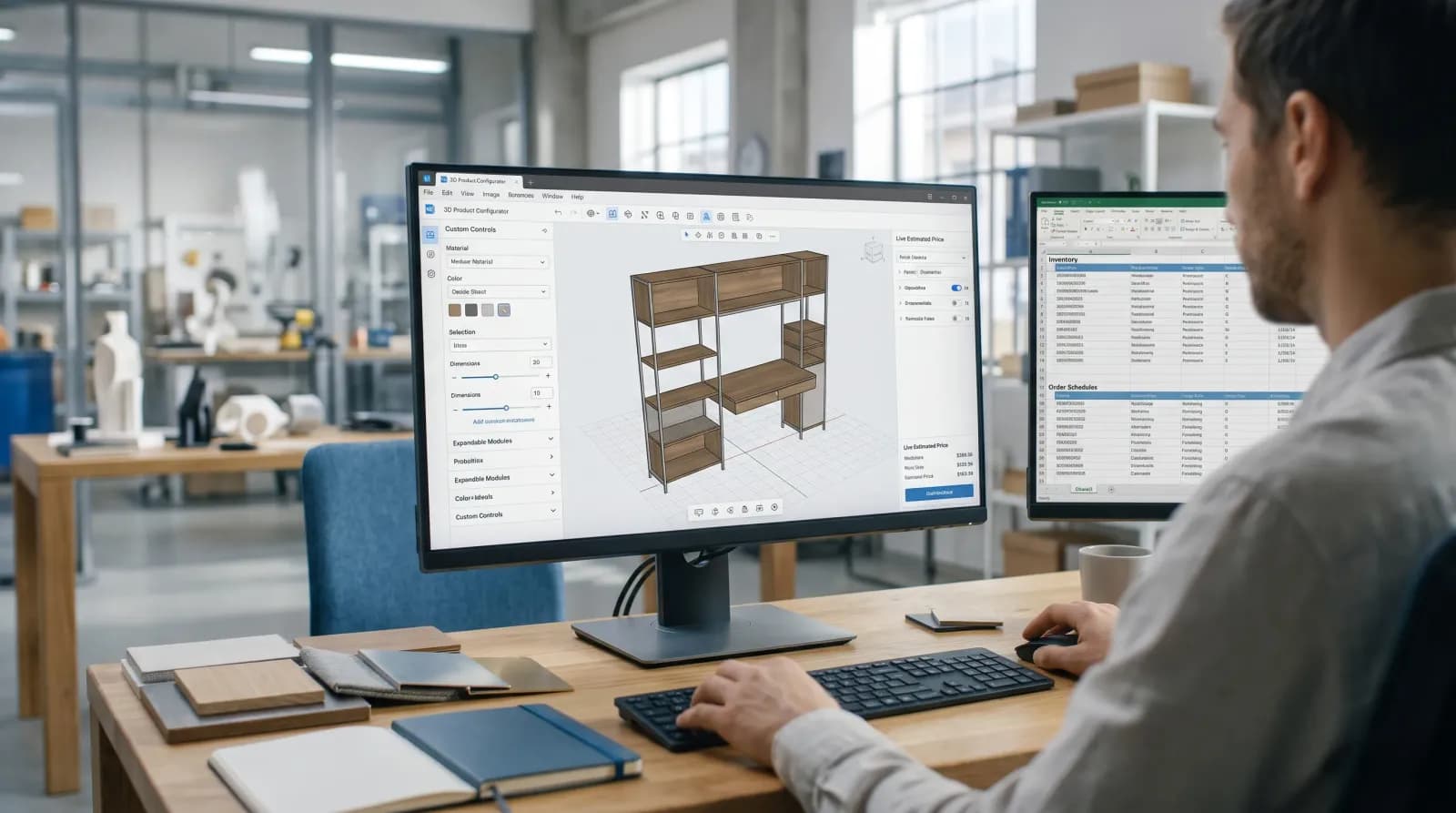
3D shelving configurator on a desktop monitor beside an inventory and order spreadsheet
  • Custom product logic

    Support variable dimensions, component dependencies, required selections, and technical restrictions.

  • Storefront-specific development

    Build the interface around your product presentation and the customer journey you want to create.

  • Connected pricing

    Develop configuration calculations while accounting for Shopify's supported purchasing and checkout capabilities.

  • Existing system integration

    Connect relevant configuration details with your ERP, CRM, inventory, or production software.

  • Clear technical planning

    Identify API limitations, checkout dependencies, and data requirements before development begins.

FAQs

Frequently asked questions

Start growing your business